Here is a new version of Winaero Tweaker that changes behavior of the "Advanced Appearance > Window Borders" option, improves the "Aero Lite" theme, and adds the ability to apply the accent color to the Windows 11 Taskbar in light mode (something that is not possible with the Settings app).
Category: Winaero Tweaker
Winaero Tweaker 1.64.1 is here
I am releasing Winaero Tweaker 1.64.1 to address some issues revealed since the last version. First of all, I have improved dark mode support in the app. Now all the dialogs are properly skinned. Second, I have fixed a couple of bugs and added a new feature that allows you to disable animation that plays on Windows 11 when you connect a new display to the computer. Here are the details.
Winaero Tweaker 1.64 is out with new features
It is finally here. After more than a year hiatus, I am happy to introduce Winaero Tweaker 1.64. The app has got a number of new tweaks, the ability to increase the user interface font, and support for the dark theme (auto/light/dark). There are also a lot of fixes for known bugs and workarounds for some tweaks that stopped working in recent Windows 11 versions.
Winaero Tweaker 1.63 is available
I am releasing Winaero Tweaker 1.63. It includes several new features and some fixes. Here we go.
Winaero Tweaker 1.62.1 is available with fixes and one new feature
Winaero Tweaker 1.62 1.62.1 is here. It is a minor release that aims at fixing bugs and inconveniences introduced in the previous version.
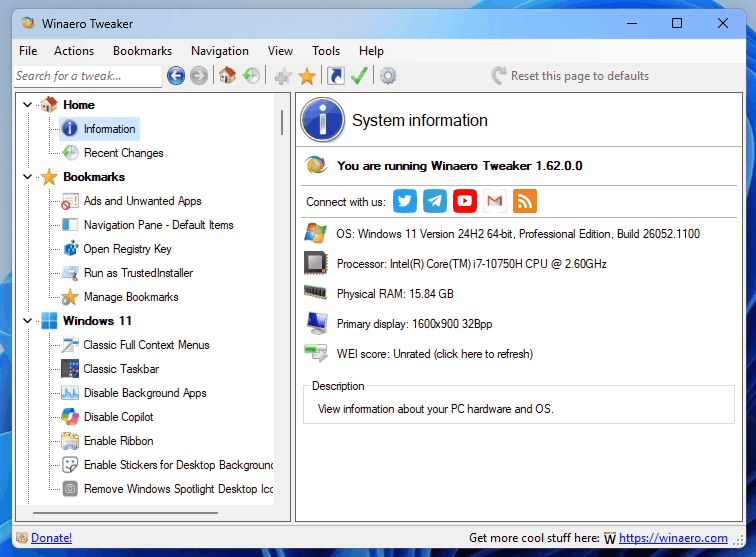
- Fixed invalid version report for Windows 11 22H2/23H2. It should now also recognize 24H2.
- The option to hide the 'Home' page in Settings is now visible in Windows 11 22H2.
- Fixed a crash in import/export.
- Fixed a crash in File Explorer classic options
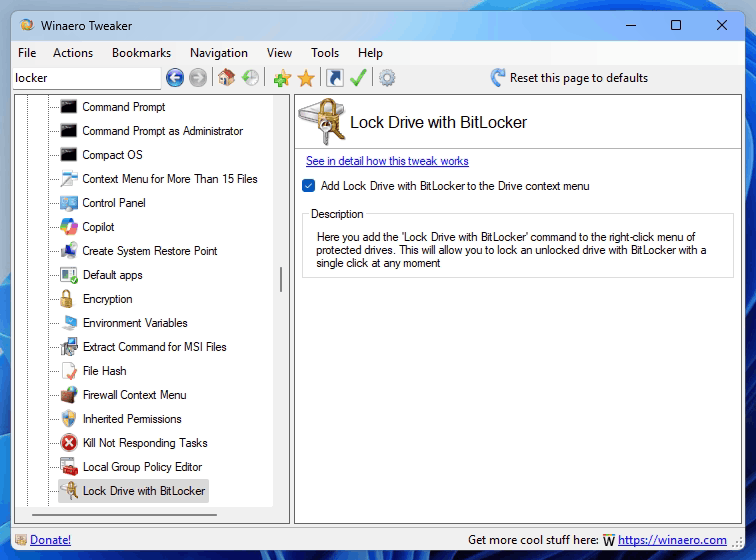
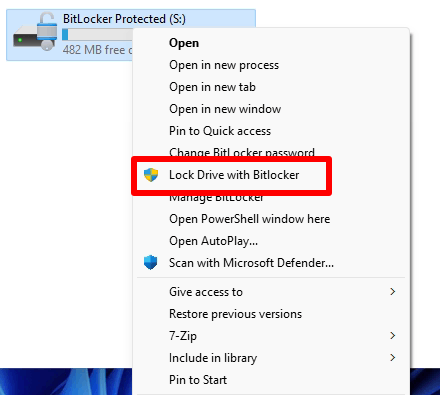
- New feature: Lock with BitLocker drive context menu option to lock an unlocked drive with ease.
Version 1.62.1
Version 1.62.1, issued on February 15, adds four more fixes. The following options were incorrectly reporting their "enabled" status and appeared unchecked when you open the appropriate page.
* Ads & Unwanted Apps > Personalized Ads
* Ads & Unwanted Apps > Tailored Experiences
* Boot and logon > Disable Lock Screen
* Context menus > Unblock downloaded files
* Windows 11 > Disable Copilot
Now they show the feature state properly.
Download Winaero Tweaker 1.62.1
You can download Winaero Tweaker using the following links.
- Download Winaero Tweaker from Winaero
- Download Winaero Tweaker from the official mirror.
- Download Winaero Tweaker from the Telegram channel <-- I always upload the app to the Telegram for your convenience.
Other resources.
Release History | The list of Winaero Tweaker features | Winaero Tweaker FAQ
Winaero Tweaker 1.60 is here [Updated to 1.60.1]
It took a very long time, but it finally happened. Winaero Tweaker 1.60 is available for download with several new features and improvements. Here's an overview of new features you will find in this release.
Winaero Tweaker 1.55 allows restoring removed checkboxes in Folder options on Windows 11
I am happy to release Winaero Tweaker 1.55. I have found an easy way to restore the removed checkboxes in Window 11's Folder options. So I have updated Winaero Tweaker with the ability to restore the missing options back. Also, I have fixed a typo in the Icon max cache size tweak, so it finally works properly. Finally, I fixed a crash in the "Change Startup Sound" option.
Winaero Tweaker 1.54 allows you to manage removed File Explorer settings in Windows 11
Here's a quick update of Winaero Tweaker. Version 1.54 includes a new "Classic Folder Options" page under the File Explorer category. It allows you to manage all the settings that Microsoft has removed in Windows 11 Build 23481. Also, it includes two fixes.
Winaero Tweaker 1.53 released
Winaero Tweaker 1.53 is here. The release is focused on bugfixes, but also adds three new features and some improvements.
Winaero Tweaker 1.52 is here
I am releasing a new version 1.50 1.52 of my all-in-one Winaero Tweaker app. I polished it for Windows 11 22H2 and Windows 10 22H2, added a number of new features, and fixed several bugs.

