Advertisement

Featured

Winaero Tweaker


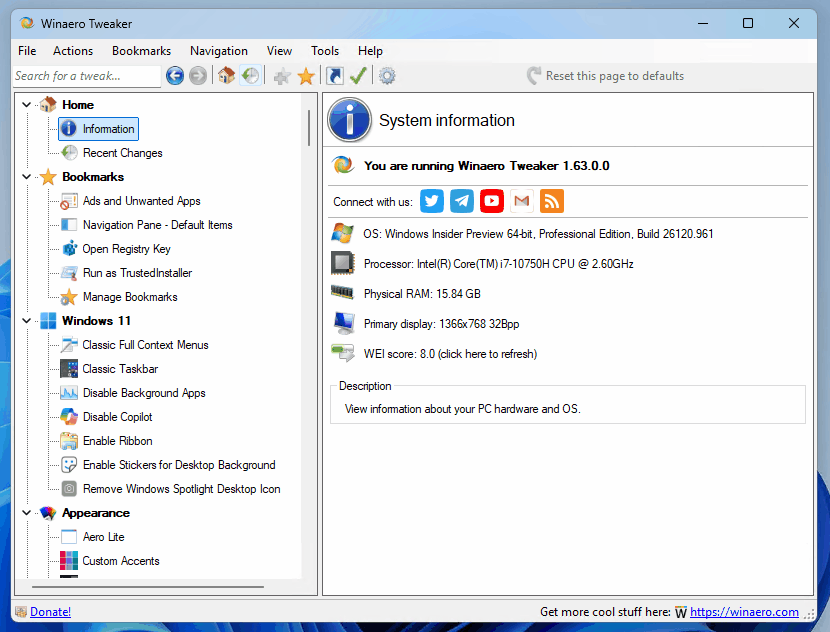
Winaero Tweaker 1.63Winaero Tweaker is a free app for all versions of Windows that lets you adjust (i.e. tweak) hidden secret settings that Microsoft does not let you adjust from the user interface. In addition, it allows you to add extra value to existing Windows apps and tools with advanced context menus, options, and handy commands.

It is a powerful system utility that supports Windows 7, Windows 8, Windows 8.1, Windows 10, and Windows 11 and includes hundreds of settings. It also includes many options that were earlier available exclusively in my standalone applications.

⬇️Get Winaero Tweaker⬇️

Features | Screenshots | Version history | EULA

💡 Besides Winaero Tweaker, there are a number of other useful freeware tools created by Winaero. Check them out here: Winaero apps.

Xbox app for Android now includes a built-in store and wishlist support

Microsoft is testing a major update to the Xbox app for Android, which brings two long-awaited features: a built-in store and wishlist support. Previously, attempting to purchase a game through the Xbox app would redirect you to the product's web page. This changed in the Xbox beta for Android.

Recent Windows 11 updates may break the Start menu, taskbar, and other components

Microsoft has confirmed an issue in Windows 11 versions 24H2 and 25H2 that can cause crashes in key operating system interface elements, including the Start menu, File Explorer, and the taskbar. The issue is known to primarily affect corporate computers and should not affect home users.

How to Disable Recommended in Start Menu on Windows 11

For who always wanted, this tutorial explains how to disable the  Recommended in Start Menu and hide it with a simple Registry tweak. From the very first days of its existence, this new section drawn a lot of criticism due to the lack of customization options. Microsoft didn't include a single setting to hide the list of so-called "recommended" shortcuts, recent files, and even promoted apps, forcing the default layout on the user. Here's an easy way to change the things.

Winaero Tweaker 1.64 is out with new features

It is finally here. After more than a year hiatus, I am happy to introduce Winaero Tweaker 1.64. The app has got a number of new tweaks, the ability to increase the user interface font, and support for the dark theme (auto/light/dark). There are also a lot of fixes for known bugs and workarounds for some tweaks that stopped working in recent Windows 11 versions.

New Windows 11 bug: Password button may become invisible on Lock screen

Microsoft has confirmed that Windows 11 users may no longer see the password authentication button on the login screen. The issue only occurs if multiple login methods are configured on the computer, such as a PIN, fingerprint scanner, and password.

css.php
Using Telegram? Subscribe to the blog channel!
Hello. Add your message here.