Disable auto arrange in File Explorer in Windows 10, Windows 8 and Windows 7.
Here is a tweak which allows you to disable icons auto arranging in File Explorer in Windows 10, Windows 8 and Windows 7.
At the edge of tweaking
Advertisement
Disable auto arrange in File Explorer in Windows 10, Windows 8 and Windows 7.
Here is a tweak which allows you to disable icons auto arranging in File Explorer in Windows 10, Windows 8 and Windows 7.
In the latest versions of Chrome, Google developers added a special button to manage your profile to the browser's title bar. This profile is used by the browser to sync your preferences, add-ons and bookmarks. If you are not happy with having this button in the title bar, here is how to disable it.
Mozilla has decided to add a new style of UI for the preferences/options of the Firefox browser. It is already used by default in Firefox 36 beta, but you can enable it manually in the current stable channel in Firefox 35. Let's see how to open the new preferences page and how it is different.
As you might be knowing, there are two shortcut keys in Windows to minimize all opened windows. The older one is Win + M, which is there since Windows 95 and the newer one is Win + D which was added in Windows 98/IE4 with Windows Desktop Update. While both can be used to show the Desktop, there is a difference between them. Let's see what exactly.
All Windows versions allow you to customize a specific folder's view to make it more suitable for the content in that folder. View changes are remembered by File Explorer/Windows Explorer or, all folders can be set globally to the same view via Folder Options. Sometimes, folder views get messed up in which case you might want to reset those customizations to clear out all the changes you made. In this article, we will see how to reset the folder view using Registry Editor for all folders at once in Windows 10, Windows 8 and Windows 7.
For unknown reasons, Windows always had a set of hidden features which can affect the X-Mouse feature behavior. Xmouse is a feature which allows the focus of windows to follow the mouse pointer, meaning, as you move the mouse pointer around, the window which is under the mouse pointer becomes the active window. In Windows Vista and later versions such as Windows 7, and Windows 8/8.1, Microsoft added a built-in option to turn on Xmouse, but it is very basic. I decided to create an advanced tweaking software for the XMouse feature.
The latest version is 1.0.0.1, see the change log below.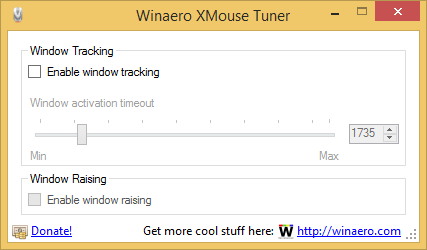
The developer version of Opera comes with a new feature, the Tab Audio indicator. However, if you install Opera 28, it won't be enabled automatically. It is disabled by default, so in this article we will see how to enable and test this brand new option in the Opera browser.
If you are testing an evaluation version of Windows 8.1, you might be inconvenienced because Microsoft does not support any way to convert the evaluation edition to the full enterprise edition with a public KMS key like it is possible for Windows Server 2012. You cannot change the edition with DISM commands in Windows 8.1. Even if you download the ISO image of the enterprise edition of Windows 8.1 and try to upgrade the OS, it will not allow you to proceed.
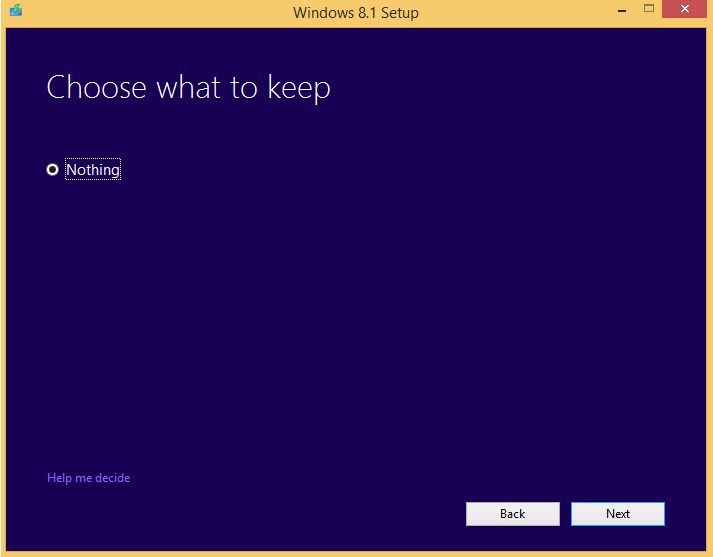
Here is a workaround which lets you upgrade Windows 8.1 Evaluation to the Full version easily.
Firefox just updated itself to version 35 on my current PC. I tried to install a new add-on (Session Manager, in case you are curious) but it failed to install for no reason. It gave the error message Add-on could not be installed because Firefox cannot modify the needed file.
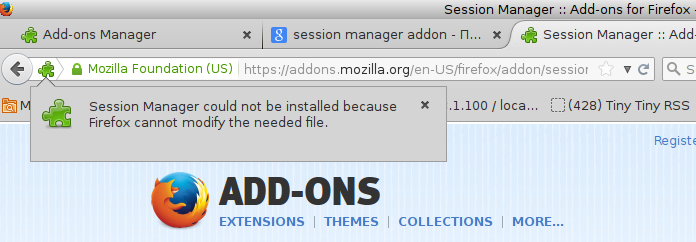
Here is how you can resolve this issue if it ever happens on your PC.
Modern Windows versions come with an Automatic Maintenance feature. It performs various optimization tasks while you are away from your PC or when your PC is idle or has a low level of activity. These tasks include disk defragmentation, Windows Update cache optimizations, Security Essentials/Defender scans and many such maintenance tasks.
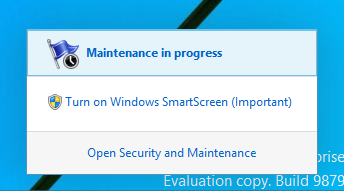
While Automatic Maintenance is useful, some users might prefer doing these optimizations themselves manually. Also some may not want Automatic Maintenance to interrupt their activity. If you think you are better off without this feature, here is how you can disable it.

