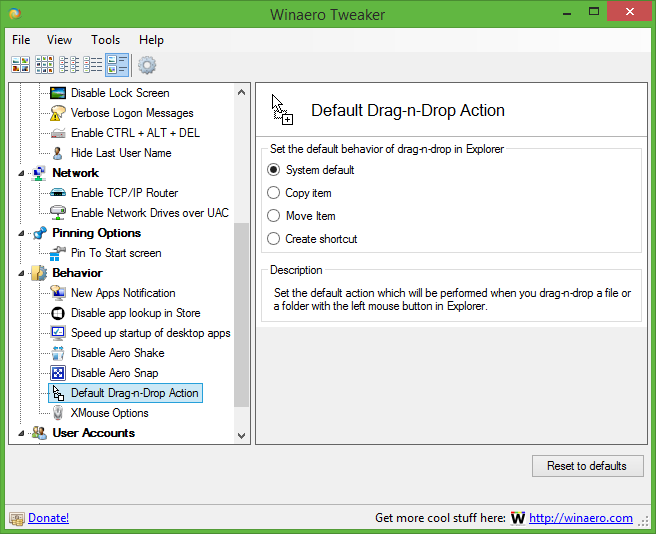
Drag'n'Drop Editor is the small portable application what allows you to change default behavior of drag-n-drop feature in the Windows Explorer. As you may know, when you drag file, the Windows Explorer offers you to move dragged item by default. You can change that with ALT,SHIFT and CTRL key modifiers but you can't change the default behavior. Drag'n'Drop Editor fixes it.
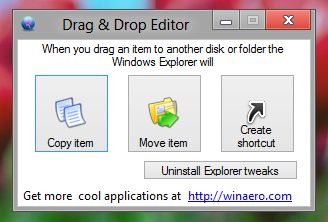
As you can see, the user interface is very simple. Just click on the action what you want to have by default. This will not affect keyboard modifiers for drag-n-drop, but changes keyboard-free action. You many choose between three availabe default actions:
  • Copy file
  • Move file
  • Create shortcuts

To restore your registry to clean state, use "Uninstall Explorer tweaks" button.

Drag'n'Drop Editor in action


The application works in most modern Windows versions from Windows XP to Windows 8. I have compiled "native" versions for Windows 7 and Windows 8. Users of other Windows versions may need to install .Net Framework 3.5.

Download: Drag'n'Drop Editor

Donate options for satisfied users:

Comments
jeff snyder|08 Jun
Guest


Dear Mr. Tkachenko:

Thankyou for Drag'n'Drop.

I am using Win7 HP/64 SP1.

I an intermediate user (beginning relative to you) and new to Win7.

I installed it to my downloads data folder on my data hard drive, expecting to be able to run a setup file and install the program on my C:Program Files (x86) folder on my SSD.

I was never given the opportunity: When I unzipped the file the application file appeared.

How can I add it to my Programs folder, Start Menu, and Startup folder?

If I delete it and start over will that confuse my registry? Does it add anything to my registry?

Best regards,

Jeff

Sergey |08 Jun
Comments: 369


This is portable application.
You can put it everywhere you want and can delete it in any time you want. It is safe.
You can put exe file you have extracted on the Desktop and run software right from desktop.

LiaoBZ|19 Jun
Guest


If only it support the right button drag-n-drop feature ,then it's perfect!

Nathan Speaks|06 Nov
Guest


Hi Team,
I just reviewed some of your applications and am so happy seeing the features. Your hard works, innovations, creativeness ....etc are so appreciable. You ROCK!!!

Sergey |06 Nov
Comments: 369


thanks

WRCS|21 Feb
Guest


Great idea. Exactly what I need.
Such a pity that it doesn't work!
:-(

Sergey |21 Feb
Comments: 369


Your OS? Please specifiy version and platform (x86/x64)

Guest|04 May
Guest


I would like some more options.
- Completely disabling dragging files to prevent accidentially moving folders or files to another location.
- A control question (dialog box) asking if you really wants to move folders or files.

Submit comment
Username:
Comment: