Microsoft has released a new version of the PowerToys utility, version 0.97, which brings with it a large number of improvements to the Command Palette, a completely new CursorWrap tool, expanded command-line (CLI) support for some tools, and other changes and improvements.
Advertisеment
What's new in PowerToys 0.97
Command Palette
More customization options
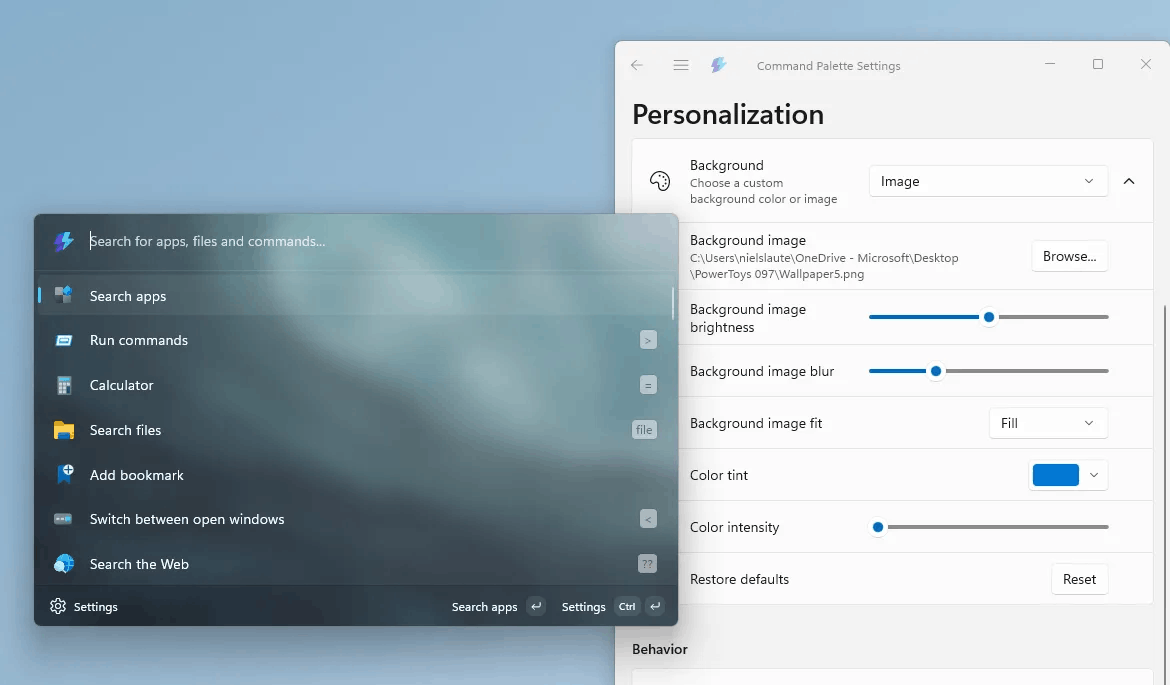
A brand-new "Personalization" page has been added, allowing you to customize the Command Palette interface to your preferences. You can now choose a background image and apply a color scheme to truly personalize the Command Palette. To change this setting, go to "Command Palette Settings" > "Personalization" > "Background."
Fallback ranking feature
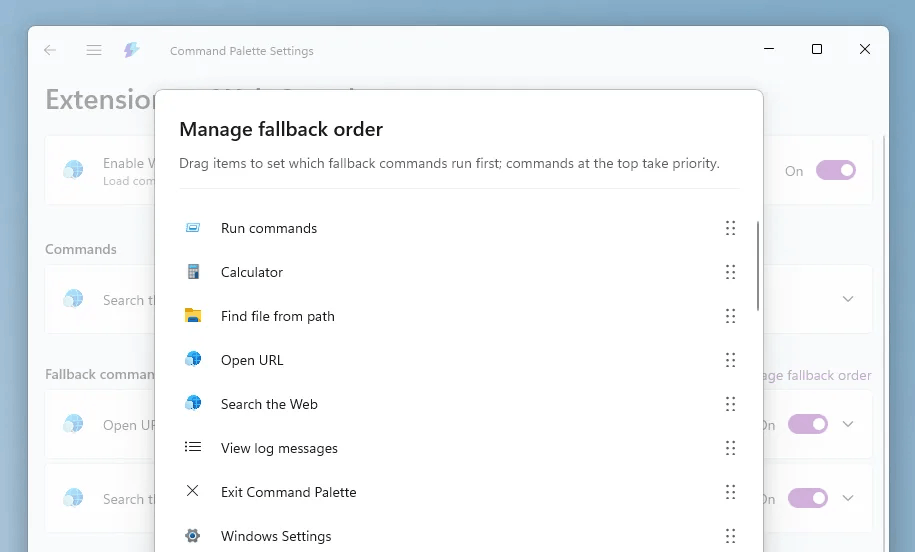
To give you more control over the search results order, the PowerToys now incude a fallback ranking feature. You can manage the ranking order on the extension's settings page by clicking "Manage fallback order." Here, you can rearrange the commands by dragging and dropping them to suit your preferences.
Managing PowerToys from the Command Palette
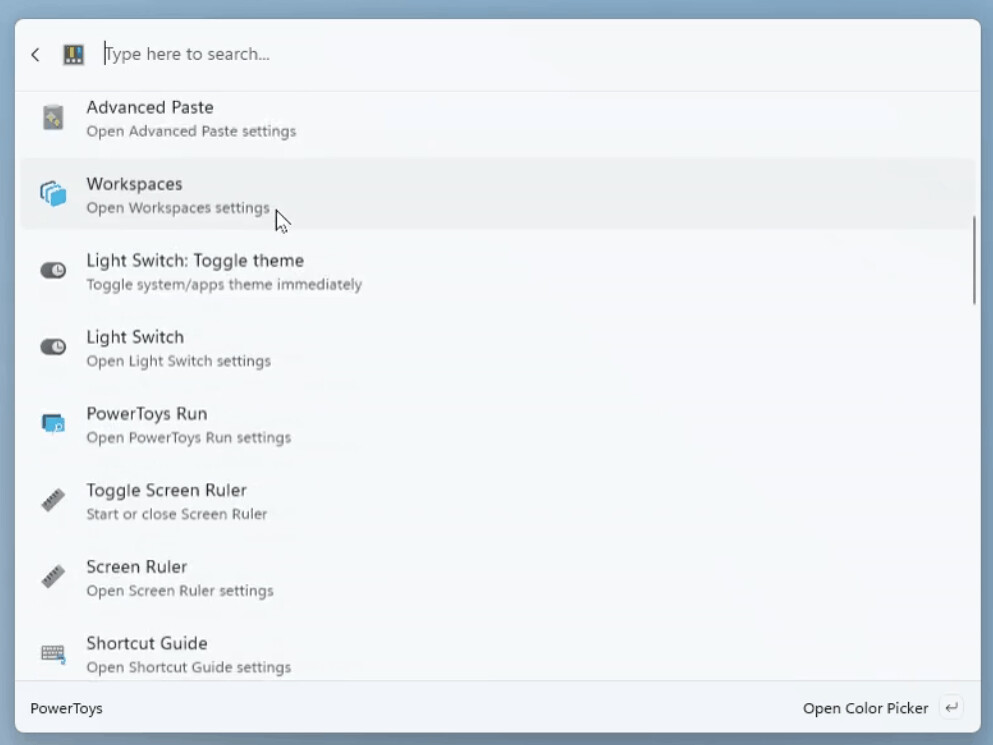
The new integrated PowerToys extension now lets you control program features directly from the Command Palette. You can control the Light Switch, change FancyZones layouts, enable the Color Picker, and much more without leaving the Command Palette. Just make sure the utilities you need are enabled in the PowerToys settings. Additionally, you can now use Peek to preview files and folders directly from the Command Palette.
Other changes
- Pinyin support. To enable it, make sure your operating system is set to a supported Chinese language version.
- New built-in Remote Desktop extension for quickly switching to your remote desktops.
- You can now choose your own search engine in the Web Search extension settings.
- Drag and drop support has been added. The File Search and Clipboard History extensions now allow you to drag and drop content from the Command Palette into other applications. Extension developers can add this feature to their plugins.
CursorWrap
If you use multiple monitors and are tired of dragging the mouse across the entire screen, CursorWrap will come to the rescue. When enabled, this feature makes the borders of the active monitor "transparent": moving the cursor off-screen instantly returns it to the opposite side.
Quick Access Flyout
The quick access pop-up window has been separated from the main PowerToys settings process, making it quicker to launch. You can also disable it completely or assign a hotkey to open it. Finally, the PowerToys system tray icon can now be switched to a monochrome style if you prefer a more discreet look that matches your other system icons.
Expanding CLI support in PowerToys
The previous release introduced command line support for Peek. In this version, you can control features like FancyZones, Image Resizer, and File Locksmith using the command line. Switching layouts, batch resizing images, and unlocking files are all possible via the CLI. A full list of supported commands is available in the documentation.
Other changes
- Light Switch can now be linked to the Night Light feature. You can switch between the modes in the settings.
- The "What's New" dialog has been updated to be more user-friendly. Future release notes will become more detailed.
- Advanced Paste now displays a preview of HEX color codes and supports image input for AI-powered conversion.
Download PowerToys
You can install the most recent app version by downloading it directly from the official page. You can also use MS Store or winget to install it:
winget install Microsoft.PowerToys -s winget
Support us
Winaero greatly relies on your support. You can help the site keep bringing you interesting and useful content and software by using these options:

