Advertisement

Featured

Winaero Tweaker


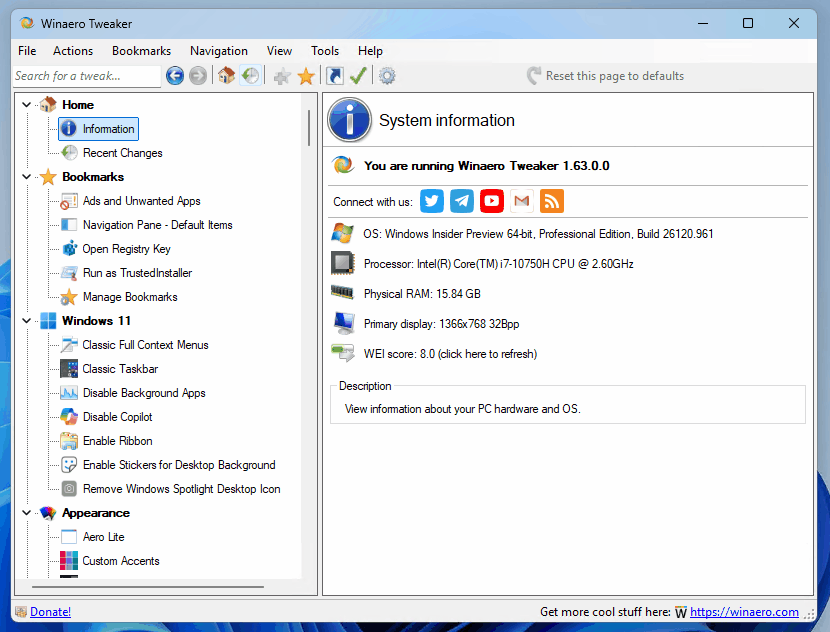
Winaero Tweaker 1.63Winaero Tweaker is a free app for all versions of Windows that lets you adjust (i.e. tweak) hidden secret settings that Microsoft does not let you adjust from the user interface. In addition, it allows you to add extra value to existing Windows apps and tools with advanced context menus, options, and handy commands.

It is a powerful system utility that supports Windows 7, Windows 8, Windows 8.1, Windows 10, and Windows 11 and includes hundreds of settings. It also includes many options that were earlier available exclusively in my standalone applications.

⬇️Get Winaero Tweaker⬇️

Features | Screenshots | Version history | EULA

💡 Besides Winaero Tweaker, there are a number of other useful freeware tools created by Winaero. Check them out here: Winaero apps.

Windows 11 Builds 26100.7701 / 26200.7701(RP) released with new features

Microsoft has released Windows 11 Builds 26100.7701 and 26200.7701 (KB5074105) to Insiders enrolled in the Release Preview Channel. These builds correspond to Windows 11 versions 24H2 (Build 26100) and 25H2 (Build 26200). This release introduces several new capabilities.

Windows 11 Build 26300.7674 (Dev) Released

Microsoft has released Windows 11 Build 26300.7674 via KB5074170 to Insiders in the Dev channel. Starting today, the Dev channel is switching to the 26300 build branch. This will effectively remove the ability to switch to the Beta channel. If you're still on the Dev channel and want to switch to the Beta channel, when prompted to install build 26300.7674, you should pause updates in Windows Update, switch to the Beta channel, and then resume receiving updates.

Windows 11 Build 26220.7670 (Beta) released with several fixes

Microsoft has released Windows 11 Build 26220.7670 to Insiders in the Beta channel. This update addresses several issues, including the Extract All option not appearing for non-ZIP archives in File Explorer. There is a fix for a Start Menu issue where the Hide this panel button did not navigate to the correct setting. The Search process now correctly displays a magnifying glass icon instead of an X.  And more.

Microsoft is testing a new design for Xbox Cloud Gaming website

Microsoft has started testing a new design for the web version of its Xbox Cloud Gaming service, which makes the interface more similar to that used on Xbox game consoles. Xbox Insider program members can already try out a preview version of the new interface, featuring improved navigation and a variety of animations.

More Issues: Patch Tuesday Updates Made Some PCs Unbootable

Microsoft investigates Windows 11 boot failure following January cumulative update. There reports that the January 2026 security update, released on January 13, has left certain Windows 11 devices unable to boot. Affected systems display a black screen with the message, "Your device ran into a problem and needs a restart. You can restart," accompanied by the stop code "UNMOUNTABLE_BOOT_VOLUME." At this stage, the device cannot complete startup and requires manual boot recovery.

Microsoft Has Released Out-Of-Band Update For Windows 11, Second This Month

It seems the January cumulative updates for Windows 11 come with a lot of issues. To fix the bugs, Microsoft earlier released a set of new patches, and now we have the second unscheduled update set in the last two weeks. While the first set addressed issues with Remote Desktop and hibernation, the new update aims to fix Outlook and cloud storage.

Microsoft Launches Public Preview of winapp – Windows App Development CLI

Microsoft has released the public preview of the Windows App Development CLI, known as winapp, an open-source command-line tool designed to simplify the development lifecycle for Windows applications. The tool supports a broad range of frameworks and toolchains, including Electron, C++ with CMake, .NET, Rust, and Dart.

css.php
Using Telegram? Subscribe to the blog channel!
Hello. Add your message here.