Desktop Background Tuner is my latest work. It allows you to change few hidden registry settings of Desktop Background feature in Windows 7 and Windows 8.
Version 1.1 is out, download it now.
With Desktop Background Tuner you will able:
Advertisеment
- Add or remove items into "Picture Location" combobox. I will call them "groups" for simplicity, ok?
- Add or remove folders to "Windows Desktop Backgrounds" group in Desktop Background settings.
- Add or remove folders to any other group you have added in "Picture Location" combobox.
- Add personal folder or add system-wide folder to group.
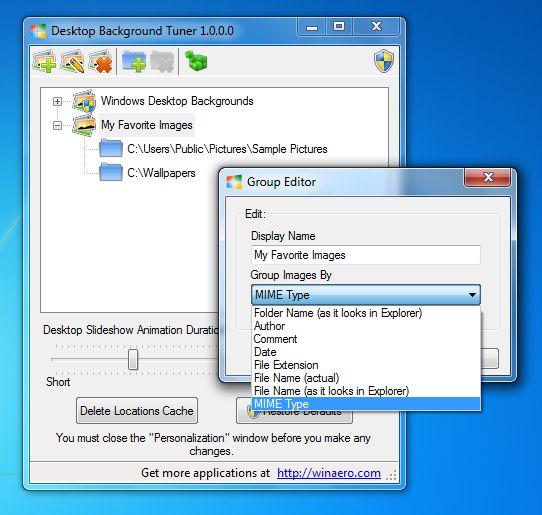
- You can control grouping of images. There are several setting available:
- grouping by file author
- grouping by file comment
- grouping by date
- grouping by file extension
- grouping by Mime type
- grouping by file name (non-localized)
- grouping by file name (localized with desktop.ini)
By default grouping is set to localized folder name. Now you can change it.
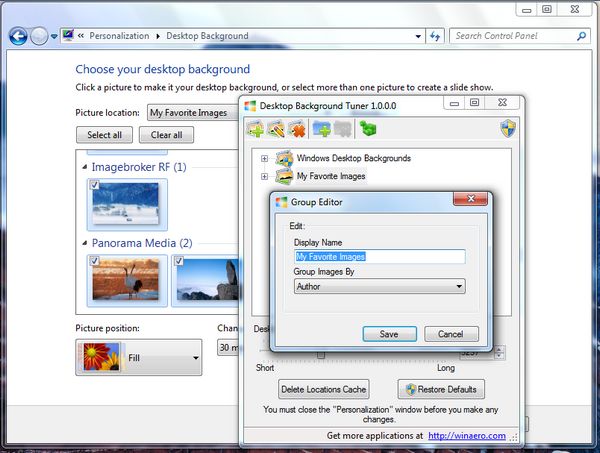
- You can change animation duration when desktop wallpaper changing. In other words, you can set speed of the fade effect transition.
Note: this trick is not available for Windows 8. Microsoft has removed animation duration option from registry and this settings has no effect in Windows 8.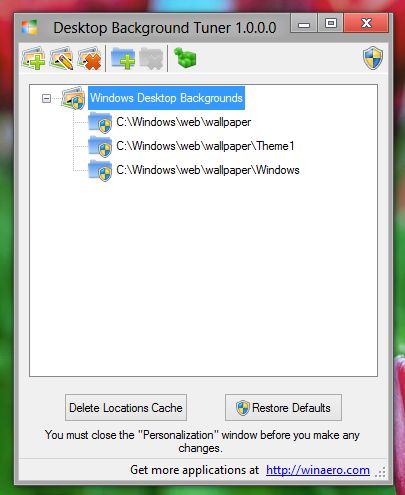
- You can delete "Picture location" cache/history of Desktop Background option with one click.
Here is what you need to know about Desktop Background Tuner
- The "personalization" window must be closed before you make any changes.
- You need Administrator's rights to edit groups and folders which available for all users (system-wide settings). They have icon with UAC shield.
- "Delete Locations Cache" will delete your wallpapers locations history, your current wallpaper source path from registry and you current desktop slideshow cache from your user profile. This is not harmful operation for your Windows.
- "Restore defaults" button returns groups into state before the first launch of Desktop Background Tuner. Use it to undo any changes you made.
Desktop Background Tuner in action
Desktop Background Tuner is a portable application and does not require to be installed. Unzip it and just run. If you are Windows 8 user, please use DesktopBackgroundTuner.exe from Windows 8 folder.
Change log
1.1
Fixed minor bugs reported by users.
Added the ability to check for updates manually.
1.0
Initial release
Big thanks to my friends:
- Gaurav Kale for support and that awesome Windows icon,
- Vadim Sterkin for QA and for his time,
- and personally to YOU.
Download Desktop Background Tuner
Download "Desktop Background Tuner"
Support us
Winaero greatly relies on your support. You can help the site keep bringing you interesting and useful content and software by using these options:
If you like this article, please share it using the buttons below. It won't take a lot from you, but it will help us grow. Thanks for your support!
Advertisеment

