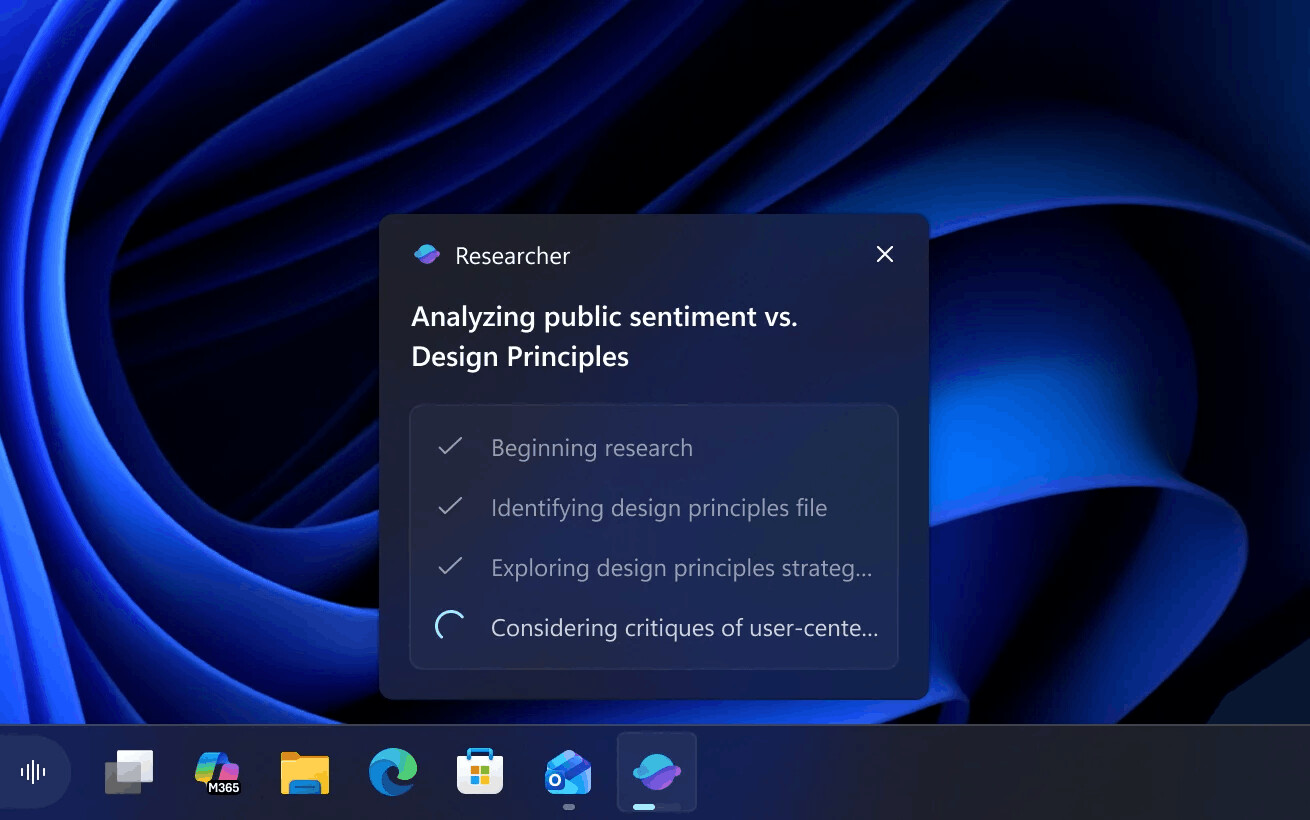
The recently released Windows 11 Insider build, 26220.7523 (Dev and Beta channels) includes a new feature. There is now a convenient way to interact with AI agents in the operating system. Users can track task progress without interrupting their current work, right from the taskbar.
As an example, the company describes the Researcher agent in Microsoft 365 Copilot, which specializes in deep research and the creation of detailed reports. A new feature allows you to control its operation directly from the taskbar.
Key Features
- Real-time viewing. Hovering your mouse over the Copilot or Researcher icon in the taskbar opens a window displaying the AI's reasoning process and task completion status.
- Notifications. When Researcher finishes collecting data and generating a report, the user will receive a notification, and the "completed" status will appear on the taskbar.
- Quick access. Clicking the icon or notification will instantly redirect the user to Microsoft 365 to review the completed material.
Please note that this feature is not enabled by default. It will gradually roll out to enterprise users of the Windows Insider program in the US with Microsoft 365 Copilot licenses in the coming weeks.
More details here.
Support us
Winaero greatly relies on your support. You can help the site keep bringing you interesting and useful content and software by using these options:

