Much to the surprise, Microsoft is replacing the classic Run dialog in Windows 11. The iconic window has received a major user interface overhaul with new icons and overall style of the modern Fluent Design.
The change is unexpected, as Microsoft just recently updated the current dialog. There is now dark theme support, part of that update. However, the company now introduced a completely redesigned Run box.
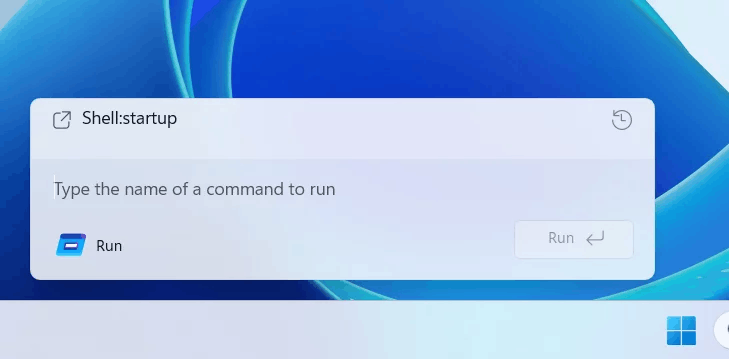
The new Run dialog box resides in the most recent Windows Server Insider Build 26534. Speaking about the visual changes, it features rounder corners, the Mica effect, and all the new icons. Moreover, the "Browse" button has been removed. I don't think that many will miss a lot the latter, but here I used it a couple of times. And I don't find it completely redundant.
Anyways, the new Run dialog box design now fits seamlessly with the overall Windows 11 design. Quite possible that it is the most important thing for the people who made it.
The updated Run box is disabled by default. To enable it, go to Settings > System > Advanced and enable Run dialog box.
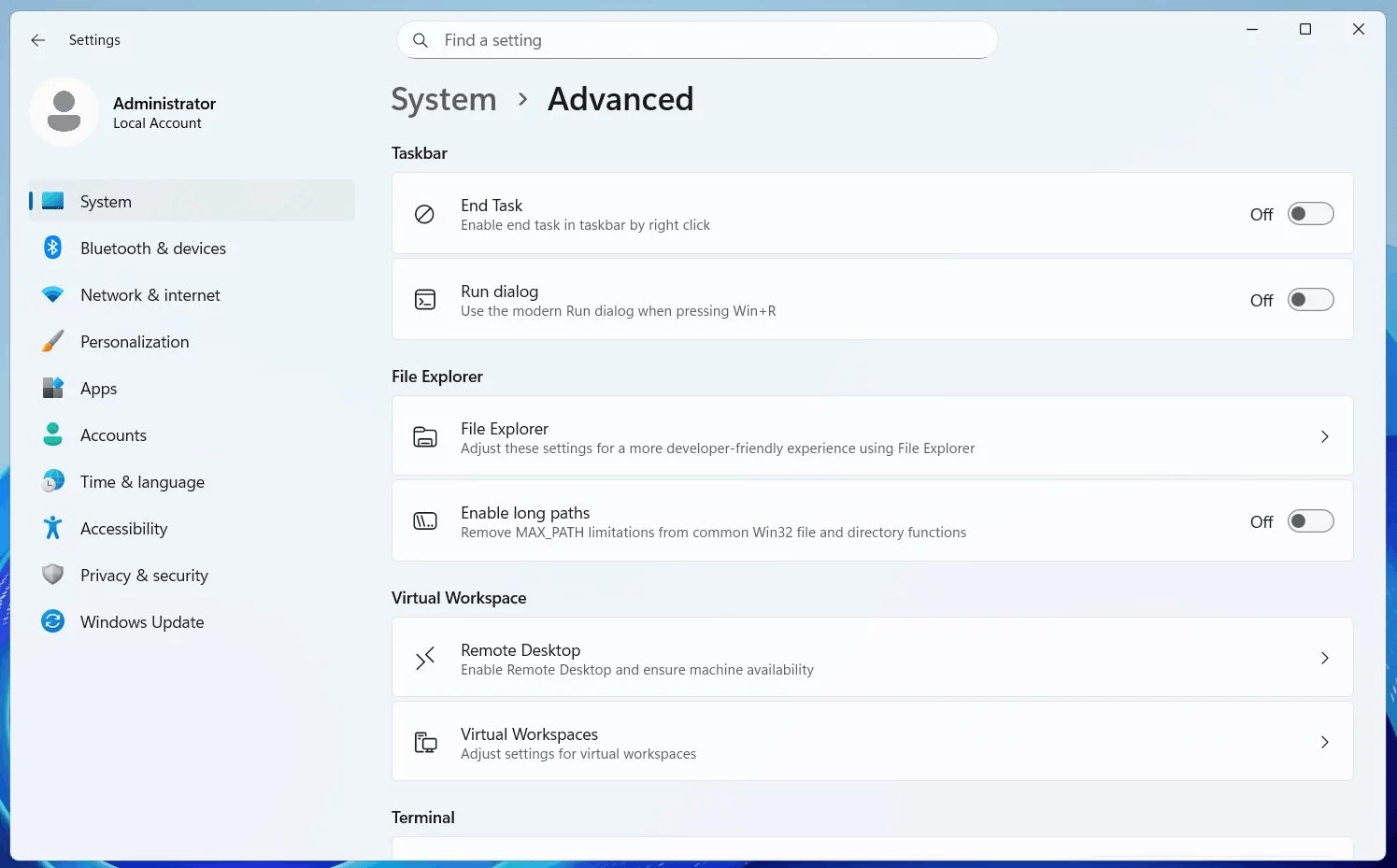
Interestingly, this change isn't yet available in the latest 'consumer' Windows Insider builds. But I expect it to appear there pretty soon.
Credits go to @phantomofearth for everything.
Support us
Winaero greatly relies on your support. You can help the site keep bringing you interesting and useful content and software by using these options:

