Microsoft has released Windows 11 Insider Preview Build 26220.7523 (KB5072043) to the Dev and Beta Channels. Both channels currently receive identical builds for Windows 11, version 25H2. Insiders in the Dev Channel may switch to the Beta Channel while this alignment continues. The switch window will close once the Dev Channel advances to a higher build number, which may reduce stability.
Advertisеment
Updates for Insiders are categorized into two groups: features rolling out gradually to those who enable the “Get the latest updates as they are available” toggle (via Settings > Windows Update), and features rolling out to all users in the Dev and Beta Channels.
New Features Gradually Being Rolled Out with Toggle On
Introducing Ask Copilot on the Taskbar with Microsoft 365 Copilot
Microsoft is rolling out a commercial version of Ask Copilot on the taskbar, initially available to U.S.-based commercial Windows Insider Program participants with Microsoft 365 Copilot licenses. This opt-in feature began rolling out in coming weeks following its announcement at Microsoft Ignite.
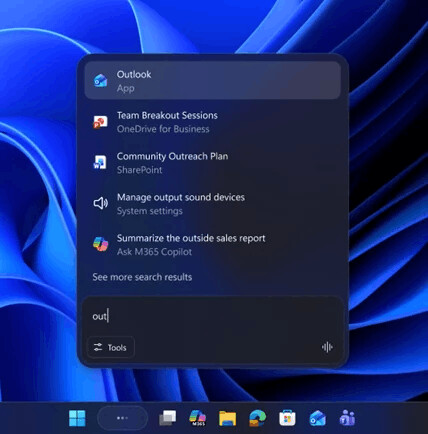
Ask Copilot provides unified access to Microsoft 365 Copilot, AI agents, and search directly from the taskbar. Key capabilities include:
- One-click access to Copilot via voice or text, with Work IQ context available to commercial users.
- Direct invocation of agents using the tools button or by typing “@”.
- A refreshed search interface delivering fast results for apps, files, and settings.
Users can enable the feature via Settings > Personalization > Taskbar > Ask Copilot. Ask Copilot uses existing Windows APIs and does not grant Copilot access to personal content. Feedback can be submitted through Feedback Hub (WIN + F) under Desktop Environment > Ask Copilot in taskbar.
Introducing Agents on the Taskbar
Windows now supports taskbar visibility for active agents. The Researcher agent in Microsoft 365 Copilot can generate reports, and its progress appears directly on the taskbar. A hover experience shows real-time updates, and a notification appears upon completion. This opt-in feature rolls out gradually to eligible U.S. commercial Insiders.
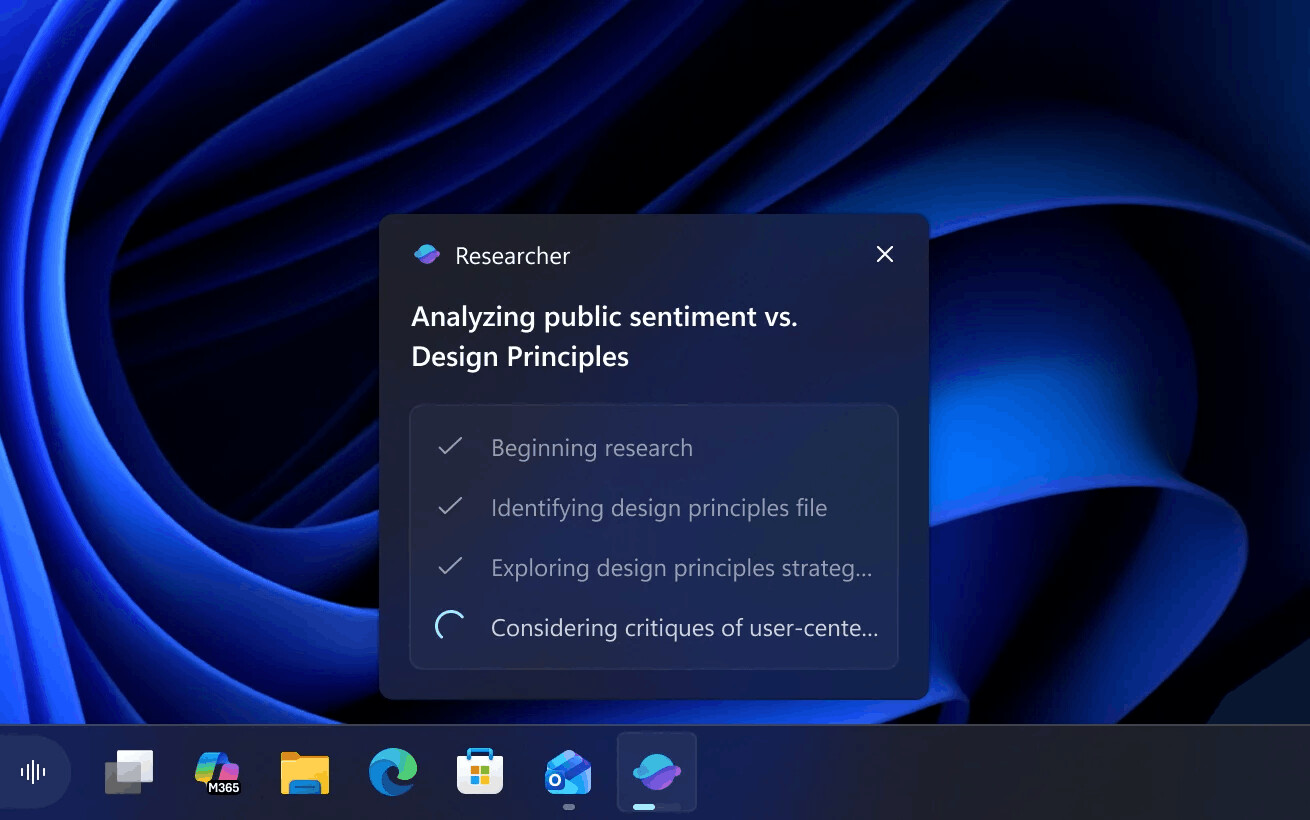
Microsoft is evaluating whether to group agent tasks with the Copilot icon or display them as separate icons. Feedback is welcome in Feedback Hub under Desktop Environment > Ask Copilot in taskbar.
Agent Launchers on Windows
Windows introduces Agent Launchers, a framework allowing apps to register and expose AI agents system-wide. Registered agents become available through Ask Copilot on the taskbar and other supporting applications. Microsoft 365 Copilot already uses this framework for agents like Analyst and Researcher.
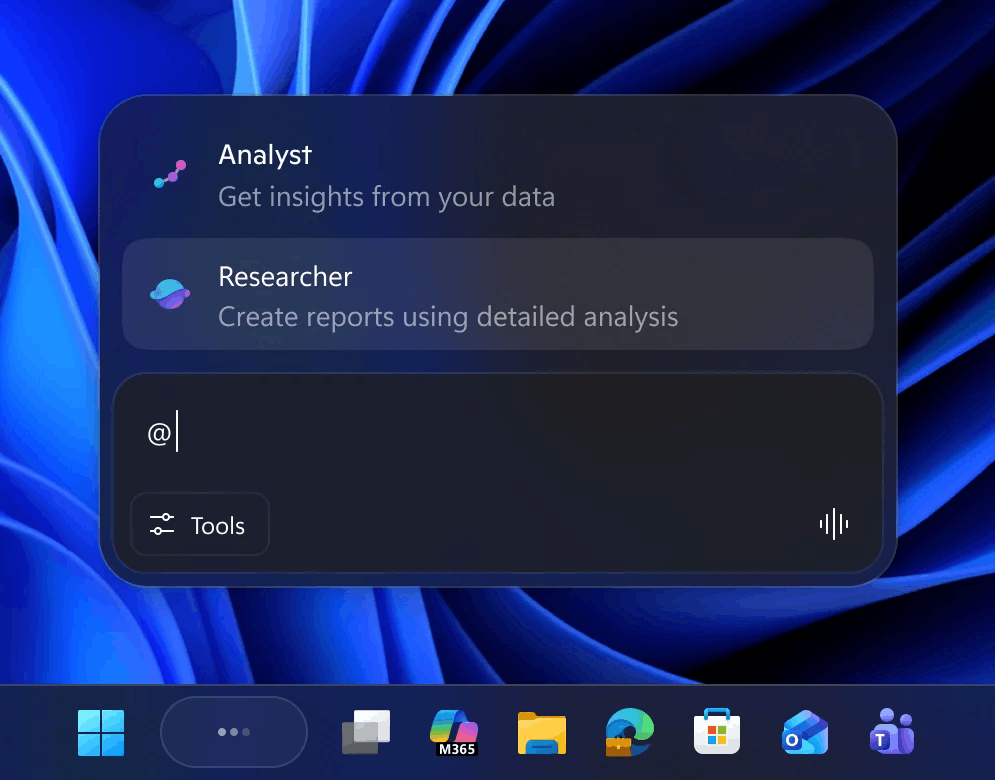
Developers can register agents statically at install time or dynamically at runtime, based on conditions such as authentication or subscription status. Documentation is available at https://learn.microsoft.com/windows/ai/agent-launchers/. Feedback should be submitted via Feedback Hub under Developer Platform > App Actions on Windows.
Personalize What Narrator Announces
Narrator now allows customization of spoken properties for UI controls such as buttons, checkboxes, and sliders. Users can select which properties to announce and reorder them. Changes apply per control type within the current app.
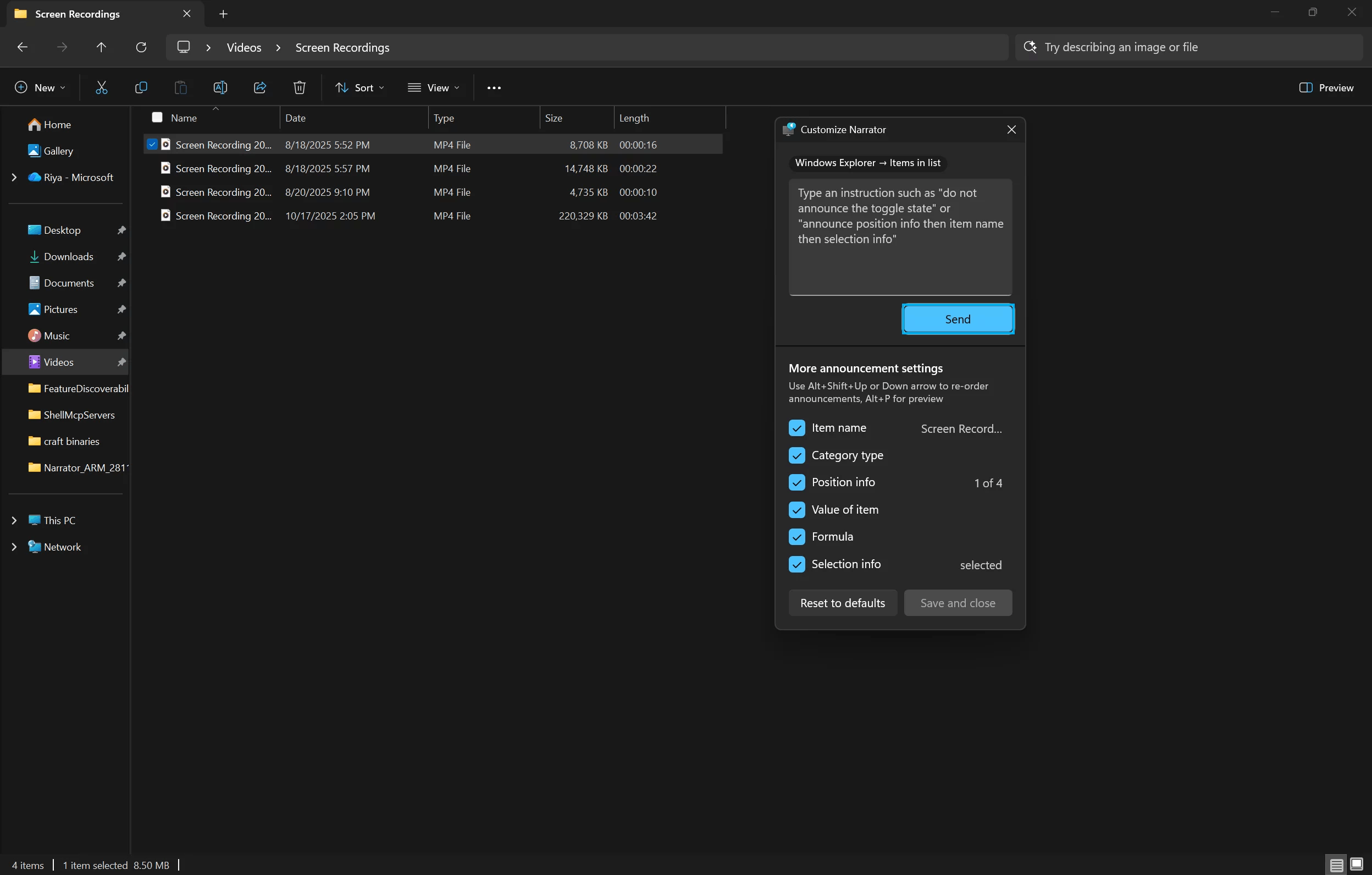
Customization is accessible via Narrator key + Ctrl + P. On Copilot+ PCs, users may input preferences using natural language (e.g., “Don’t announce the selection info or position info”). A preview function allows users to test announcements before saving.
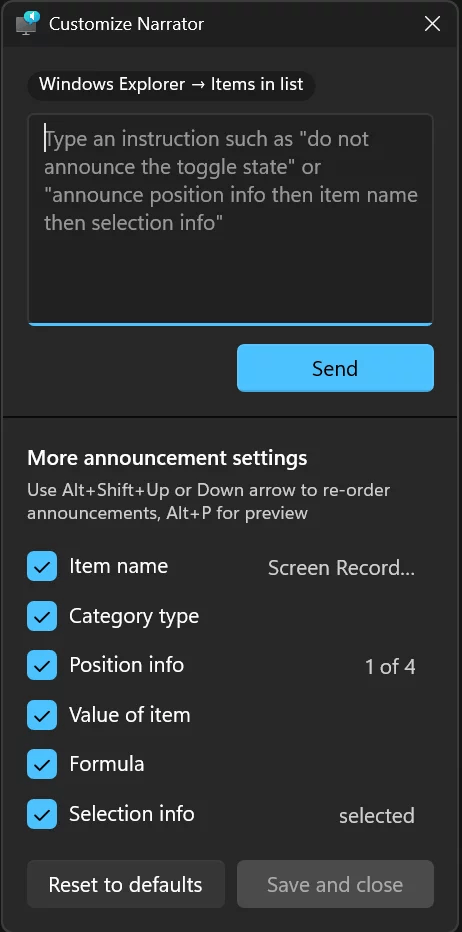
The default setting can be restored at any time. Feedback should be filed under Accessibility > Narrator in Feedback Hub.
Enhancing the Touch Keyboard Experience for Voice Typing
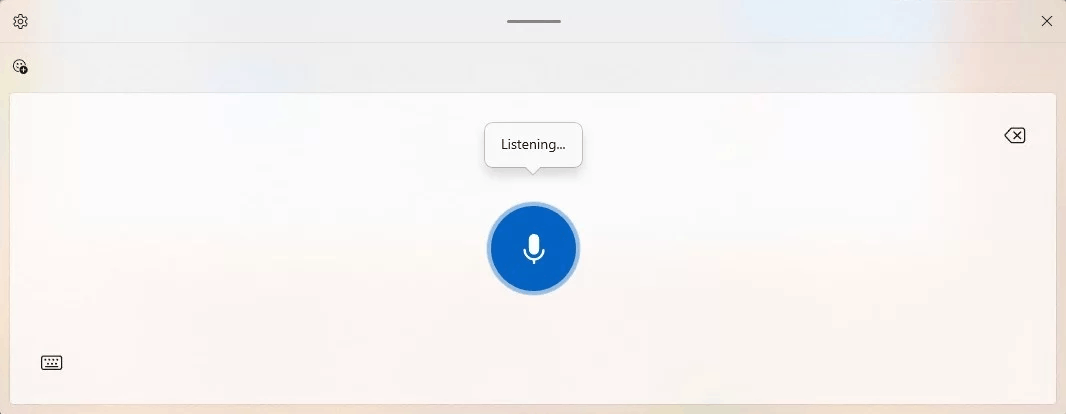
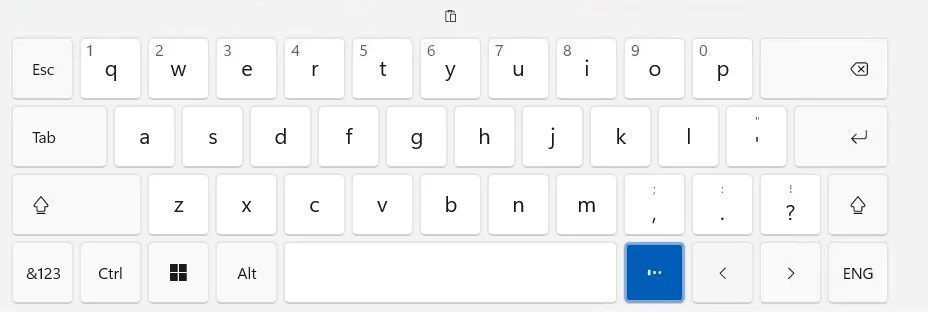
Voice typing with the touch keyboard now displays animations directly on the dictation key, removing the previous full-screen overlay. This change reduces visual distractions and maintains user focus.
"Discover Windows" Widget
A new Discover Windows widget delivers timely, actionable tips from the Windows Tips website on topics such as shortcuts, productivity, and security. Tips update automatically throughout the day.
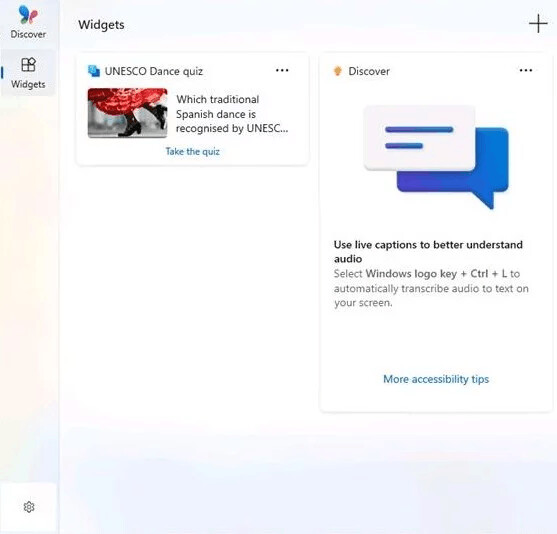
Users can add the widget to the Widgets Board via Add widgets > Discover, or to the lock screen through Settings > Personalization > Lock screen.
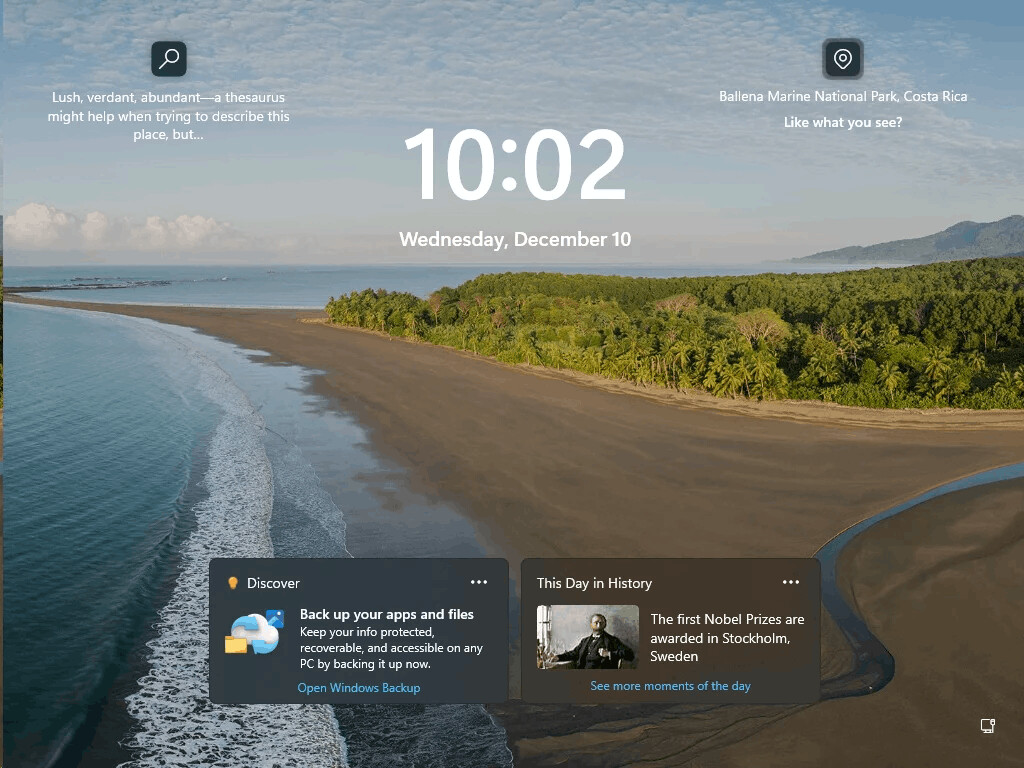
The widget is optional and may be removed at any time. Feedback should be submitted under Desktop Environment > Widgets in Feedback Hub.
Changes and Improvements Gradually Being Rolled Out with Toggle On
Settings Agent Language Expansion
The Settings Agent now supports additional languages:
- German: de-de
- Portuguese: pt-br, pt-pt
- Spanish: es-es, es-mx
- Korean: ko-kr
- Japanese: ja-jp
- Hindi: hi-in
- Italian: it-it
- Chinese (Simplified): zh-cn
Previously supported languages include English (en-gb, en-us) and French (fr-fr, fr-ca).
Click to Do
The Copilot prompt box in Click to Do now supports Microsoft 365 Copilot. Users can type custom prompts that are sent to Microsoft 365 Copilot along with selected screen content. This feature is not yet available to Windows Insiders in the European Economic Area or China.
Input
The AltGr layer is now enabled for the Arabic 101 keyboard layout. The right Alt key acts as a modifier to access additional symbols, including the Saudi Riyal symbol (AltGr + S). Arabic 102 and Arabic 102 AZERTY layouts receive similar updates. Language switching shortcuts (Alt + Shift or Windows key + Space) remain unaffected.
Voice Access
Voice Access features a redesigned setup flow that simplifies downloading the appropriate speech model, selecting a microphone, and understanding Voice Access capabilities.
Taskbar
Microsoft has paused the rollout of new taskbar animations for sliding between apps to investigate related issues.
File Explorer
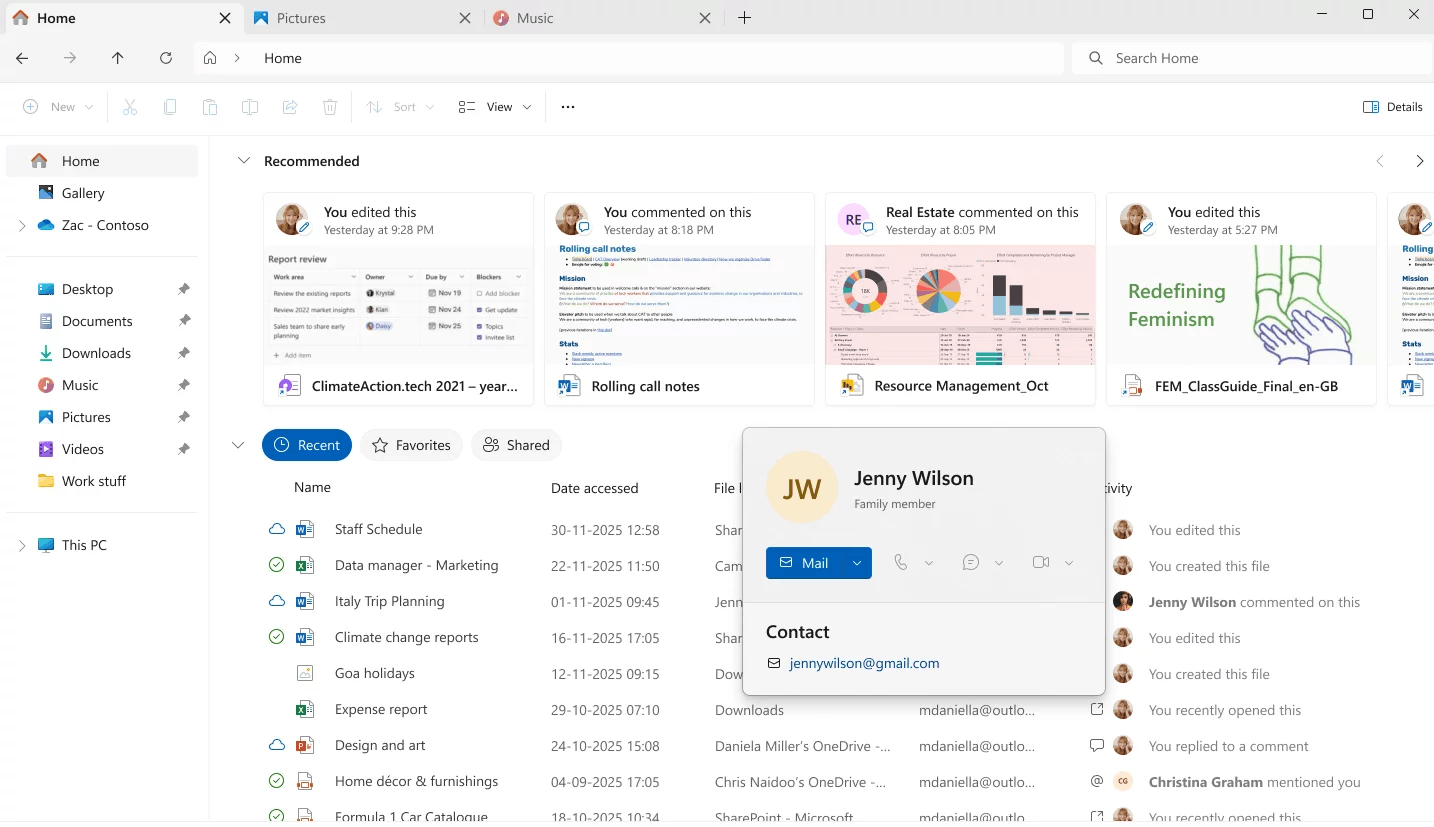
File Explorer now displays people icons under the “Activity” column for users signed in with a Microsoft account. Hovering or clicking reveals a Windows People Card with context and actions such as initiating a chat or call. This extends the Live Persona Card experience, previously limited to Entra ID accounts, to consumer cloud files. The feature was first introduced in August 2025 builds.
Fixes Gradually Being Rolled Out with Toggle On
Taskbar and System Tray
- Apps with multiple windows no longer move entirely to the overflow area when the taskbar is uncombined and space is limited; only windows without space move.
- Fixed incorrect taskbar label display for apps with multiple open windows.
File Explorer
- Resolved a white flash when navigating between pages.
- Improved search performance by eliminating duplicate file indexing.
- Enhanced search reliability for system and secondary drives.
- Fixed an issue preventing OneDrive files from opening in RemoteApp sessions (error 0x80070057).
- Improved Voice Access in Gallery view; users can now say “click [number]” to open photos.
Login and Lock Screens
Fixed multiple issues that could cause the login screen to become unresponsive or fail to render.
Display and Graphics
Resolved an issue where Adaptive Brightness did not activate immediately after reboot.
Windows Update
Fixed an issue causing error 0x800F0922 during update installation for some Insiders.
Other
- Corrected text display issues in Windows Recovery with Japanese display language.
- Fixed Windows license migration failures during upgrades due to activation server registration issues.
- Resolved loss of physical NIC bindings for external virtual switches after host restart.
- Removed erroneous “Share to Shell Experience Host” option in the Share dialog.
- Updated the “Change Account Type” dialog to align with modern Settings design.
- Fixed false “There’s a newer build available” messages in Windows Insider Program Settings.
Known Issues
Agents on the Taskbar
Researcher may appear unresponsive when clicking the taskbar icon during an active task. Switching conversations in Microsoft 365 Copilot and returning to the task resolves the issue.
Xbox Full Screen Experience for PC
Some apps may behave unexpectedly under Full Screen Experience, particularly those with fixed window sizes or secondary windows.
Taskbar & System Tray
- The Start menu may not open on click for some Insiders, though it responds to the Windows key. This may also affect the notification center (WIN + N) and quick settings (WIN + A).
- Some apps may not appear in the system tray as expected.
- [NEW] When autohide is enabled, the taskbar may appear prematurely when interacting with the bottom of the screen, obstructing app usage.
File Explorer
- The scrollbar and footer appear as a white block instead of rendering correctly in the dark mode copy dialog when text scaling is applied.
- Opening the context menu may cause explorer.exe to crash for some Insiders.
Bluetooth
Battery level indicators for Bluetooth devices may not appear for some Insiders.
Click to Do
[NEW] The Microsoft 365 Copilot prompt box may not function on selected images if the Microsoft 365 Copilot app is not running.
Paint App Update Rolling Out to Canary & Dev Channels
Paint version 11.2511.281.0 introduces a collapsible toolbar. Users can enable “Automatically hide toolbar” via the chevron icon at the ribbon’s bottom-right.
The toolbar can be shown or hidden using dedicated buttons or by clicking outside it. The default view is restored by selecting “Always show toolbar” from the chevron menu.
Support us
Winaero greatly relies on your support. You can help the site keep bringing you interesting and useful content and software by using these options:

