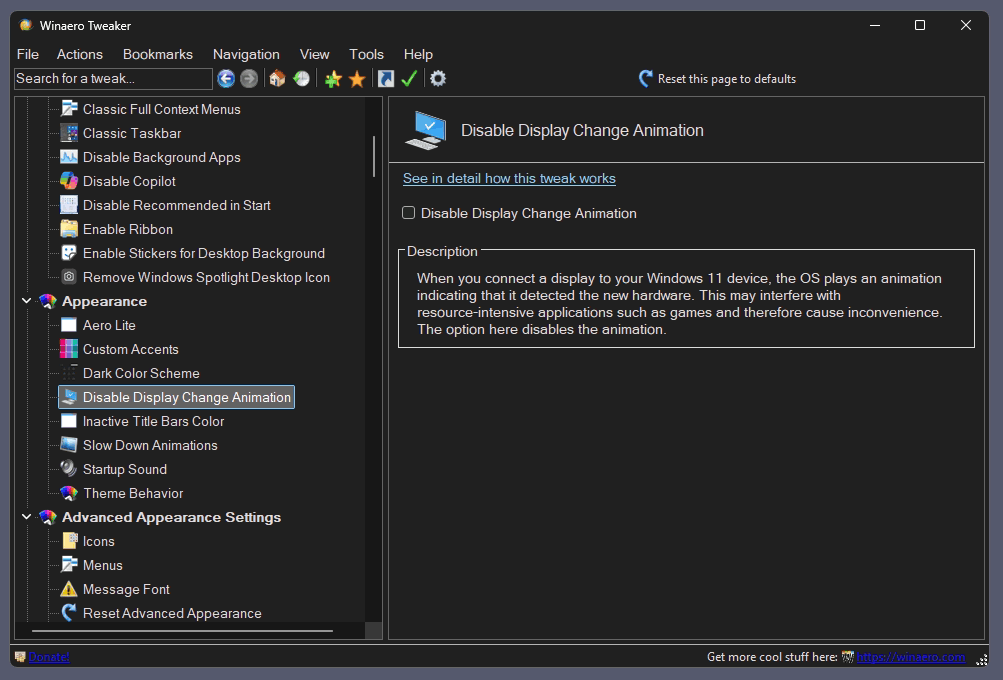
I am releasing Winaero Tweaker 1.64.1 to address some issues revealed since the last version. First of all, I have improved dark mode support in the app. Now all the dialogs are properly skinned. Second, I have fixed a couple of bugs and added a new feature that allows you to disable animation that plays on Windows 11 when you connect a new display to the computer. Here are the details.
Advertisеment
What's new in Winaero Tweaker 1.64.1
New features
Added the ability to disable display animation when you connect a new display to your Windows 11 device. Starting in Windows 22H2, it can be disabled in the Registry, so the app now offers a GUI for that. You will find the checkbox under Appearance > Disable Display Change Animation. I say thanks to "Aerath Xlythe" for this.
Changes
Dark Mode
- Now all the dialog boxes use the proper color mode. Those include, but not limited to, the About dialog, Reset all tweaks, Import/Export tweaks, Visible Tweaks, and so on.
- All disabled controls where displayed with the black font color on the dark background. While I have fixed most of them (see known issues below), I already regret that I added the dark theme support to the app.
- The search pane now respects the dark theme.
Other
- Most of the taskbar options are now hidden in Windows 11, as they do nothing. I kept them for users who combine my app with the excellent ExplorerPatcher app. However, the latter is broken on 25H2, and I have been told that Microsoft has removed the classic taskbar bits from the OS.
- If you need the classic taskbar experience, go with the StartAllBack app. It is a paid but not expensive software that re-adds the lost flexibility to Windows 11. In my opinion, it is a must-have addition to the OS.
Bug fixes
Xmouse
I was so happy to make the Xmouse options working again in version 1.64, so I accidentally removed the code that disables it! Once you enable Xmouse in 1.64, you cannot disable it. I have fixed this in 1.64.1.
Advanced Appearance
The font values in the options listed under the "Advanced Appearance" section were using a hardcoded value designed for Windows 7. It was a legacy code that was working fine for its time. However, if you reset these options on anything newer, you would receive the outdated Registry value for the appropriate font options, including statusbar, desktop icons, menus, and even system font. It is not the most popular Tweaker option, so the issue remained not noticeable for several years. Ironically, I also stopped using it, as I am perfectly fine with the default fonts and their scaling Microsoft made in Windows 10 and above.
So, I have re-created the Advanced Appearance section's logic from scratch. Now the tweaks operate with the values set in the Registry, create a backup copy of the font binary data, and restore them when you choose to reset the tweak to defaults. There is no hardcoded font value anymore. There are no visual changes.
The issue has been first discovered by the Reddit user "RemarkableOil451". You can read the linked story. While I am thankful to them for letting me know about the bug, there is an issue. Mate, if you read this: There is a big difference between a bug report, criticism, and insult. In my opinion, what you did is the latter. That's it.
Also, pretending that I am intentionally damage user systems is far from reality. It is just yet another bug in my app, not the first one, and surely not the last one (see the change log above). Without bad faith attached.
Also, claims that the app corrupts users' profiles are false accusations. It was easy to rollback the change. There was no need to run into System Restore, or anything like that. One of the methods is mentioned in the linked Reddit.
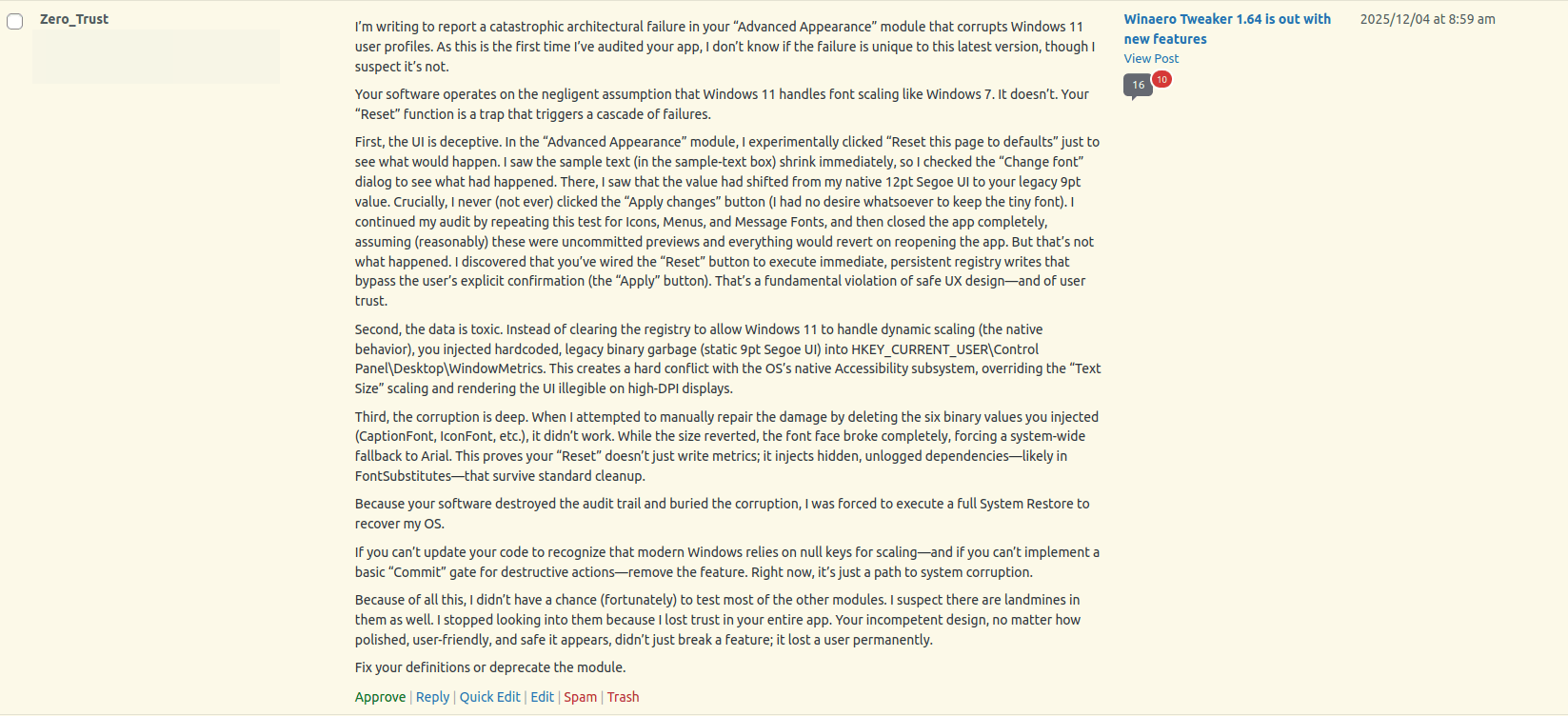
Finally, you didn't ask me to contact you but claim on Reddit that I didn't contact you via email. From your wall of text, it feels completely opposite, like you are not interested. Since it is "PSA" now, here's the original bug report that I refused to approve here:
 I would like to remind the following to everyone:
- Winaero Tweaker is a pet project. It is not a product.
- Nobody forces or even asks you to use it. It is up to you. I use it myself and it does its work for me, for some of my friends, and for some other people around the community here. This doesn't guarantee that it will work for you.
- Undocumented things can stop working at any moment and even cause harm. That's obvious, right?
- The app comes "as is". You see this at least twice when installing it.
- Any software may come with poorly coded parts, bugs, and issues. Look at Windows itself.
Well, enough on this.
Known issues
- The OneDrive icon in the Navigation pane re-appears once you disable it. It is restored by the OneDrive client app, and needs a workaround. I have some ideas, which I am going to test soon.
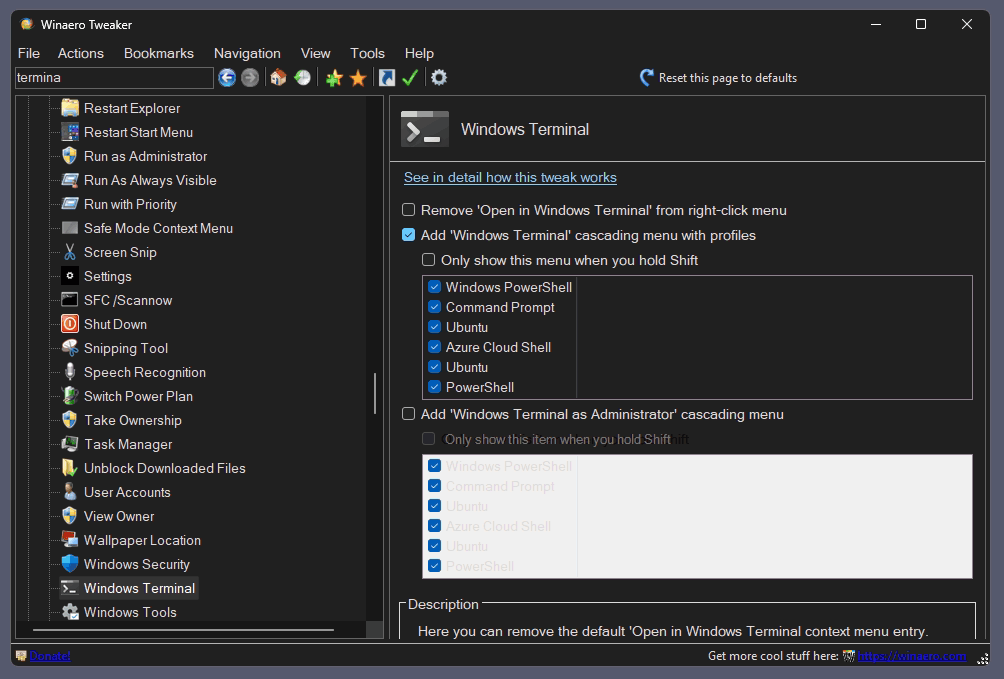
- Some disabled "tables" appear white. A good example is the Terminal context menu tweak. The lower table is a disabled one, and it appears white. I didn't find a working solution yet for this issue.
Finally, a few issues remain from the previous release:
- The toolbar icons still appear blurry.
- The icons in the "Information" page still appear blurry
- The "Disable Windows Update" page is supposed to allow you to choose the method to use.
I will close all of them in the next release of the app.
Download Winaero Tweaker 1.64.1
You can download Winaero Tweaker using the following links.
- Download Winaero Tweaker from Winaero
- Download Winaero Tweaker from the official mirror.
- Download Winaero Tweaker from my Telegram channel
Support us
Winaero greatly relies on your support. You can help the site keep bringing you interesting and useful content and software by using these options:


Download link still download old version WinaeroTweaker-1.64.0.0-setup.exe
Yeah, something went wrong. You can grab it from the Telegram channel while I am reuploading it on the website.
—
upd: reuploaded.
Thank you!
Thank for the app. Sorry about the negative response you got. Some people just gotta hate.
You are welcome. Thanks for your support.
Thanks for the dedication and effort. There are haters out there but know that we support you.
First of all thank you for supporting such an application, when it was not updated for ~1y since 1.63 i though real life took over and there would not be an update ever again. I am sure it is not easy considering how many tweaks it has and W11 keep changing over time disabling a lot of those features.
Regarding that Reddit guy, it is sad. His post(s) obviously indicate malice, bad faith. The worst case scenario – according to him – was a System Restore which takes what, 10mins at best to execute. Instead he spend 1h+ blaming for a bug which obviously was not intentional.
Thanks again and keep up the good work!
Thank you for your kind words.
Thank you Sergey.
One vicious attention seeker with malicious intent does not deserve any more of your time.
You bless us with your work and we are grateful for it.
Sincerely.
❤
Any idea why Webroot Secure Anywhere is finding malware in the files and preventing installation?
Because none of them is digitally signed.
I’m not sure about your claim about ExplorerPatcher not being able to get back the Windows 10 taskbar on Windows 11 25H2. The EP team reverse-engineered the taskbar and made it standalone, so it should still work with 25H2. Am I wrong? If not, it would be advisable to keep the settings
Explorer Patcher works fine for me. Win 11 25H2. I’m also using Open Shell, maybe that has an effect.
Sorry to see some troublemaker kicked up a stink over a trivial bug. However, you have blessed us yet again with another update, and I appreciate all your efforts.
Re: Clarification regarding the “Advanced Appearance” Bug Fix
I see you’ve patched the defect I identified and even given me credit for surfacing it. That’s the correct outcome, and I appreciate the fix.
However, since you’ve chosen to publicly address/admonish me (“RemarkableOil451”) while simultaneously suppressing my original report, I must correct the record regarding your characterizations.
1. On “Insults” vs. “Bug Reports”: You claim my report was an “insult.” It wasn’t. I described the software’s effect on my system as “catastrophic” and “negligent.” These are descriptive terms for the outcome, not attacks on your person. If you interpret a rigorous description of a software failure as a personal insult, that’s a reflection of your own inference, not my “rudeness.” Just as you don’t want me to infer anything about your motives, don’t infer them about mine.
2. On “Intentional Damage”: You write, “Pretending that I am intentionally damage user systems is far from reality.” I never claimed you did it intentionally. I claimed you did it negligently. I never argued you had “bad faith”; I demonstrated that the software applied legacy Windows 7 values to a Windows 11 Registry, corrupting the user profile. The fact that this was an accident does not make it less destructive, nor does it absolve the lack of testing on one of the target OSes.
3. On the “Necessity” of System Restore: You say, “There was no need to run into System Restore… One of the methods is mentioned in the linked Reddit.” This is empirically false. As I detailed in my report, I did manually identify and delete the corrupted Registry values (the exact “method” you refer to). The profile corruption persisted despite this removal. A System Restore was not a “panic move”; it was a technical necessity because your theoretical “simple fix” failed in practice on a live system. Besides, if the problem was so “easy to rollback,” then why bother “fixing” anything? Either way, please don’t dismiss the severity of the damage based on your assumption at the expense of real-world testing.
4. On Communication and Censorship: Finally, you say I didn’t ask you for a response. When I posted the report on your website, I provided my valid email address in the required field. That is explicit consent for communication. Instead of emailing me to clarify the technical details, or better yet, simply responding publicly (even if it was to say you appreciate the content of my comment but the delivery), you chose to suppress the report and then post a public performative dressing-down here. THAT, in my opinion, is quite insulting, but I still won’t use it to shield myself from criticism.
The answer to so-called ‘bad speech’ isn’t censorship; it is good speech and transparency. Your decision to publish (or suppress) this comment will be a demonstration of precisely that principle.
P.S. For clarity, if you’d like to email me, you certainly may—you have my email address and my permission.
That guy clearly has some serious mental problems – not worth any more of your time.
I wanted to donate to you because for me this tool is great, but the link above to Paypal says “This organisation is currently ineligible to receive donations.”. Do you have any other ways of sending donations?
Not yet.
Hi Sergey,
I want to thank you for taking the time to work on this. It is very much appreciated. I’m quite certain you have a very full life beyond this, and providing this completely free for us – it’s just a wonderful thing that you’ve done, and a beautiful piece of software. And I’m sure that virtually everyone appreciates all of your efforts and what you do. THANKS!
Looking forward to the OneDrive tweak mentioned. Long time use of this great APP. I reckon you have way more fans than haters.
Thank you so much for making life easier for us all.
I keep looking for release notes on the latest release, currently Winaero Tweaker 1.64.2, but you always seem to display all but the latest release in the list. This has always seemed like a strange policy wherever I encounter it. It doesn’t help those who are looking for specific reasons why they might or might not want to update their software.