Vertical tabs have been one of the most requested features for Google Chrome for many years. Late last year, Google began testing vertical tabs in Canary channel builds. Now, with Google Chrome 145, they've made their way to the Beta channel. The feature is disabled by default and is only available as an optional flag in chrome://flags.
Below, there the steps to enable vertical tabs in Google Chrome Beta. Be sure to update to Beta build 145.0.7632.5 or higher.
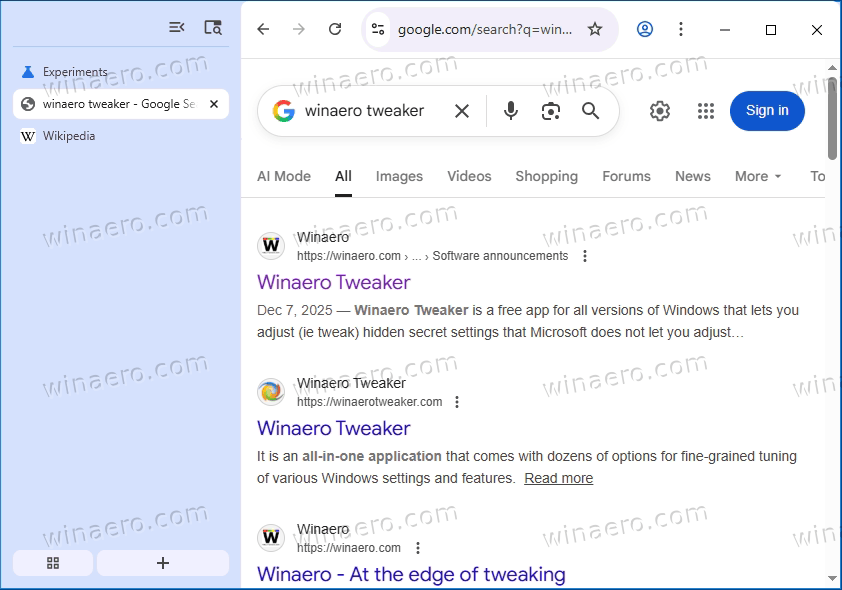
How to Enable Vertical Tabs in Google Chrome
- In the browser address bar, go to the path
chrome://flags/#vertical-tabs. - Set to Enabled for the Vertical Tabs option.
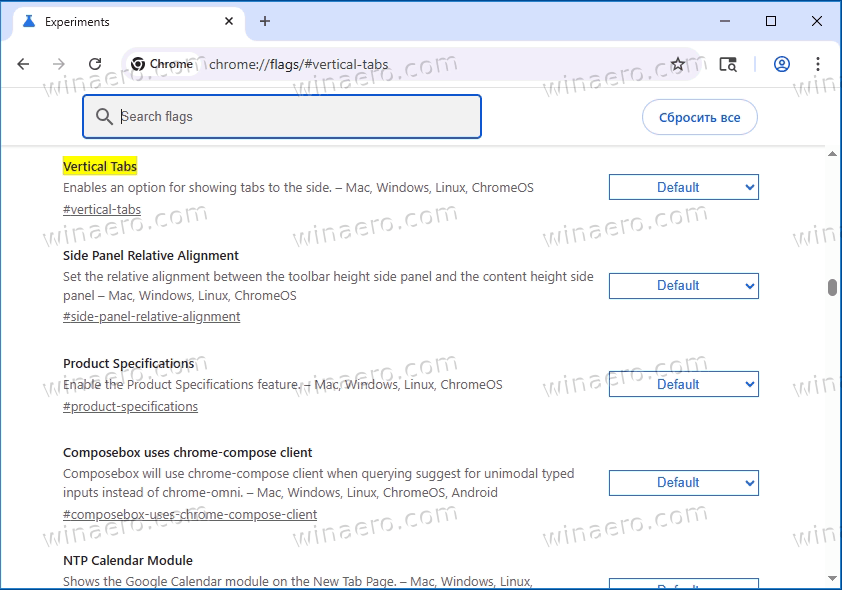
- Restart your browser.
- Go to the settings section "Settings" > "Appearance" along the path
chrome://settings/appearanceand switch the "Tab strip position" option to "Side" .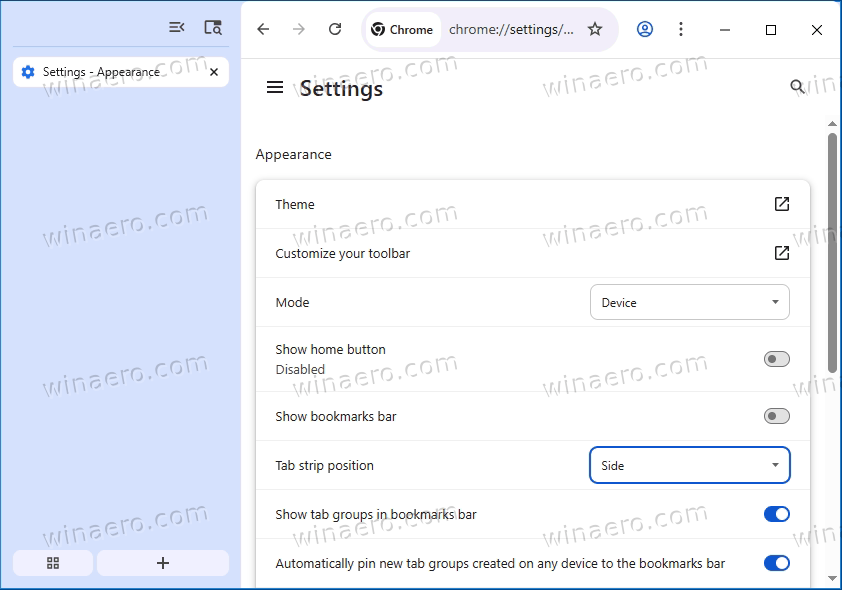
- Alternatively, right-click on the tab bar and select Move tabs to the side .
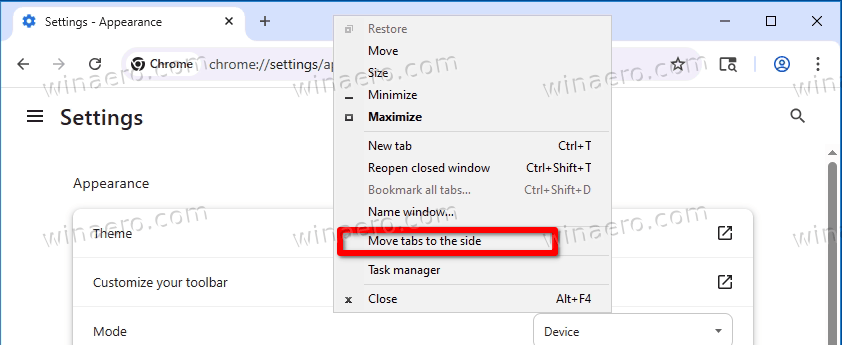
That's it.
It's currently unknown when Google will implement this feature in release builds, or even if it will happen at all. Vertical tabs may still undergo some changes, refinements, and improvements before appearing in the stable version of the browser.
Support us
Winaero greatly relies on your support. You can help the site keep bringing you interesting and useful content and software by using these options:

