Microsoft has announced the return of the Calendar Agenda view to the Windows 11 Notification Center. This feature, which displayed upcoming events and meetings directly in the Action Center, was available in Windows 10 but omitted when Windows 11 launched in 2021. The reintroduced Agenda view will appear as part of an upcoming Windows 11 update.
Advertisеment
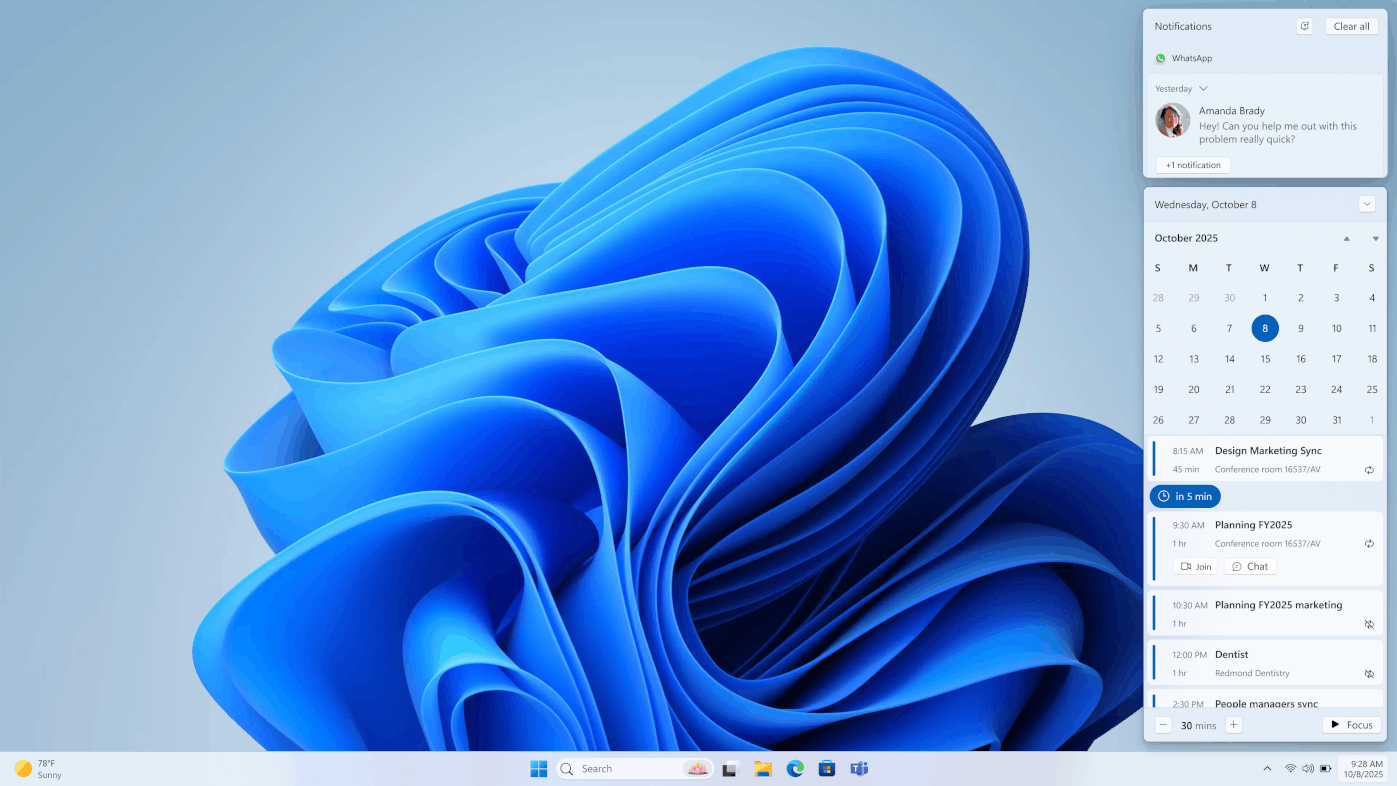
However, it will be a different story. The re-implemented Agenda view will operate through Microsoft’s WebView2 component, integrating a web-based interface into the system’s native Notification Center. It replaces a fully native implementation of Windows 10 with a solution that loads Outlook meeting details inside a WebView2 container.
Early testing of preview builds reveals immediate system resource demands when the Agenda view activates. WindowsLatest reports that the Windows Shell Experience Host process shows a notable increase in CPU usage, rising from idle levels to between 6% and 20%. Memory consumption also spikes, jumping from approximately 1 MB to over 130 MB upon opening the Notification Center with Agenda view enabled.
Task Manager displays multiple WebView2-related subprocesses, including GPU Process, Renderer, and Utility, all characteristic of Microsoft Edge’s WebView2 runtime. These components suspend automatically when the Notification Center closes, reducing CPU and memory usage to near-zero levels to conserve system resources.
Visual Integration Concerns
The WebView2-based Agenda view may cause visual inconsistencies with the Windows 11 design language. Differences in font rendering and interface elements, such as the Calendar emoji, make it look like a web page embedded within the desktop environment rather than a fully integrated native feature.
Despite its web-based foundation, the Agenda view retains a chronological layout similar to its Windows 10 predecessor. Users will see scheduled meetings in a clean, list-based format. Microsoft enhances this interface with optional integrations, including direct access to Microsoft 365 Copilot and one-click entry into Teams meetings from the Agenda entries.
Source: WindowsCentral
Support us
Winaero greatly relies on your support. You can help the site keep bringing you interesting and useful content and software by using these options:

