The Redmond software maker is starting the roll-out a dedicated Themes section in the Microsoft Store for Windows 11. It includes more than 35 new additions, while featuring over 400 curated themes, most of which are already known to the public. The themes include wallpapers and dynamic accent colors, and may include a set of sounds.
Advertisеment
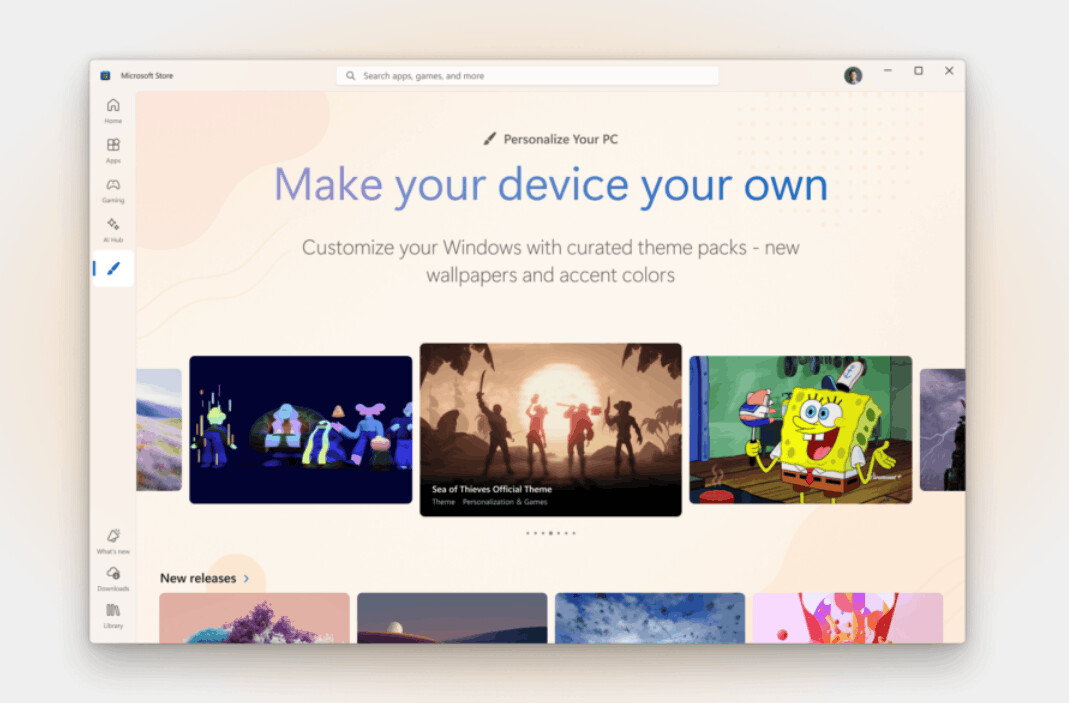
Theme Topics and Details
Users can now personalize their desktops with themes tied to franchises like Sea of Thieves and World of Warships, natural landscapes such as World National Parks, or artistic collections like Ethereal Escapes by PicsArt and Geometric Tales. Additional options include Luminous Flow, Mountain Dwellings, Dreamscapes, Neon Dreams, Opaline, and the Razer Axon Official Theme.
ℹ️ Themes come in a .deskthemepack file format. As you may already know, it is a package, usually a renamed CAB or ZIP archive, that bundles together wallpapers, accent colors, sounds, and sometimes mouse pointers, but it does not modify core user interface elements such as window borders, title bars, or system controls.
These packages are a great way to share your customization and quickly personalize the desktop appearance. Still, they change only a small number of UI elements. In contrast, a full-fledged custom theme based on an .msstyle file deeply modifies the actual styling of Windows UI components, including window borders, buttons, icon glyph, fonts, and so on. It is a differenct level of customization, which, however, requires system-level modifications for the theme to apply. An .msstyle must be signed by Microsoft, or the theme engine must be patched in order to be applied.
Microsoft never officially supported custom .msstyle files, and doesn't list such themes on Microsoft Store. But .deskthemepack files install safely and directly via the Personalization settings or the Store without affecting system integrity.
Not a New Concept, But a Refined Experience
The new Themes section builds upon a feature long present in Windows 10, where users could already download and apply custom themes through the Microsoft Store. The updated implementation in Windows 11 just simplifies discovery and installation.
Similarly to Windows 10, theme management in Windows 11 remains accessible through Windows Settings, where users can view, switch, or delete their theme collection items. Beyond themes, the Microsoft Store also offers customization apps such as TranslucentTB, Lively Wallpaper, and Seelen UI, further expanding personalization capabilities. Finally, there are also plain wallpapers.
The official announcement is here. Thanks to thecommunity for the tip.
Support us
Winaero greatly relies on your support. You can help the site keep bringing you interesting and useful content and software by using these options:


Hi there, BIG fan of your work! Any chance you could add functionality in the next update that either completely disables the Copilot button, or allows us to remap it? I’ve already covered the key in whiteout, but I still get that aggravating “copilot key isn’t assigned to anyhing” settings screen when I accidentally hit the key.