Microsoft has introduced a visual redesign of the classic Run dialog in recent Windows 11 Insider builds. This update replaces the traditional interface with a modernized version that aligns with Fluent Design principles.Here's how to enable it.
Advertisеment
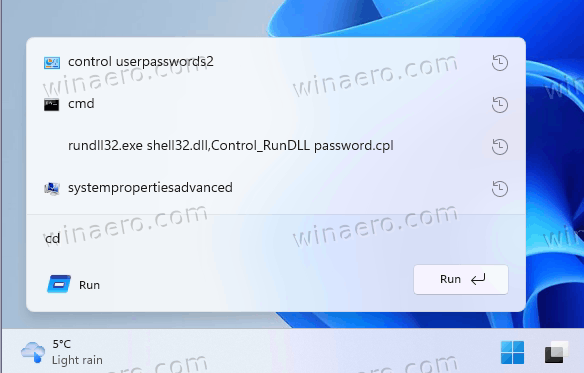
Key visual enhancements of the new Run dialog include rounded corners, the Mica material effect, updated icons, and improved dark theme integration. Notably, the “Browse” button has been removed from the interface. Although this change may affect a small subset of users who relied on that functionality, the redesign primarily aims to unify the Run dialog’s appearance with the broader Windows 11 aesthetic.
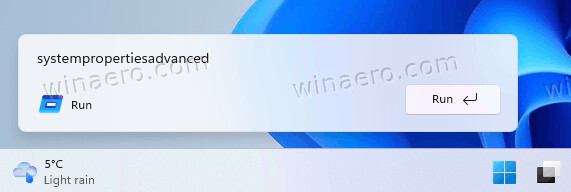
This feature is not enabled by default and requires manual activation with the ViveTool, a utility that toggles experimental Windows features. It is hidden in the Build 26220.7523, recently released to Dev and Beta Insider channels.
The following steps detail how to enable and later disable the new Run dialog interface.
Enable the New Run Dialog
- Navigate to the official GitHub repository for ViveTool and download the ZIP archive with its latest version.
- Extract the files to the C:\vivetool folder for convenient access to the app.
- Right-click the Start menu button in the taskbar, and select Terminal(Admin).
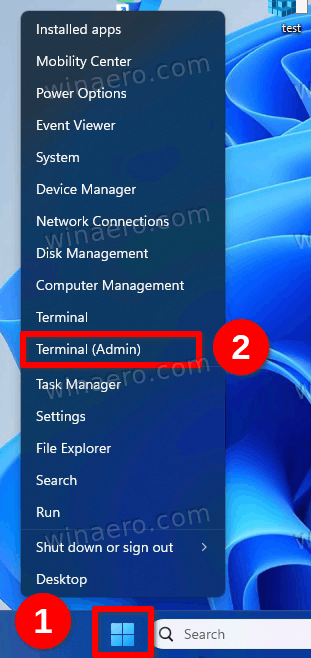
- In the Terminal window, type the following command and press Enter:
c:\vivetool\vivetool /enable /id:57156807,57259990,58381341,58527096.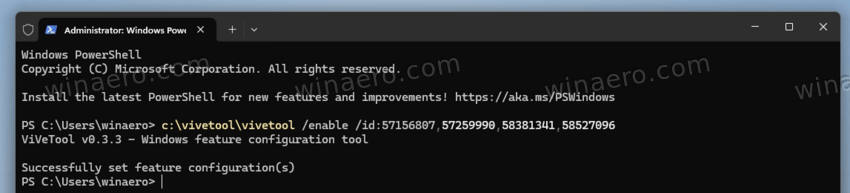
- Now, restart the computer to apply the changes.
- After restarting, open Settings and navigate to System > Advanced.
- Finally, locate the toggle option named “Run dialog” and enable it.
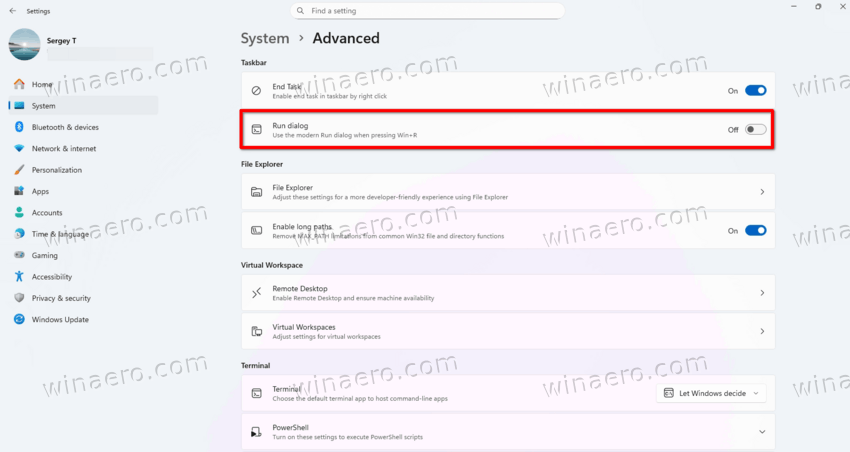
That's it!
To test the new dialog, press Win + R, or right-click the Start button and select Run from the menu.
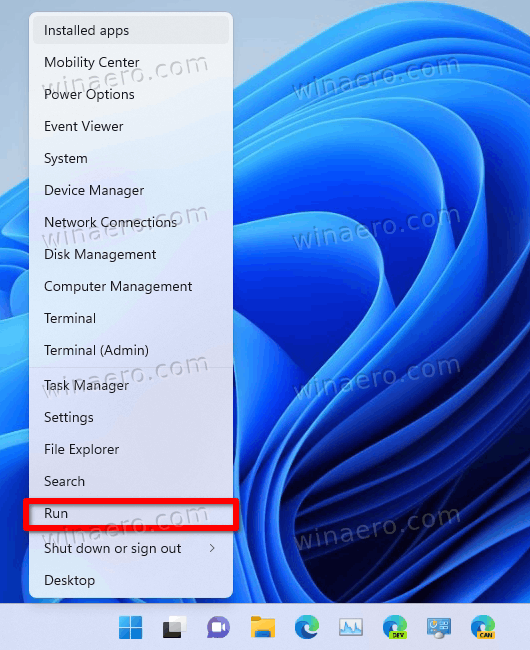
It will replace the classic one. Here's how it looks with the history drop-down.
How to undo the change
- Open the Terminal app, again as Administrator.
- Execute the following command to disable the feature and press Enter:
c:\vivetool\vivetool /disable /id:58381341,58527096,57156807,57259990 - Restart the computer to revert to the original Run dialog interface.
New Dialog Availability
The modern Run dialog does not yet appear in the public release of Windows 11. As said, it exists only in preview builds distributed through the Dev and Beta channels. Currently, Microsoft continues to refine it, and its final form may differ from the current preview.
Microsoft has not announced a general availability date of this updated Run dialog. The company may cancel it prior including in any release version of the OS.
Thanks to @phantomofearth on X for sharing their findings.
Support us
Winaero greatly relies on your support. You can help the site keep bringing you interesting and useful content and software by using these options:


How can I make a donation? PayPal says restricted. Also, how can I send you a couple of screen shots with a suggestion?