Chrome 144 is now available in the stable channel. The Extended Stable branch will remain supported for eight weeks. It brings with it a simplified new tab page design that offers category-level customization instead of individual block dismissal. Also, it expands AI Mode to Linux, enabling natural language queries about page content and multi-tab interactions. The Gemini chatbot now supports image uploads and generation. And more.
Advertisеment
What's new in Chrome 144
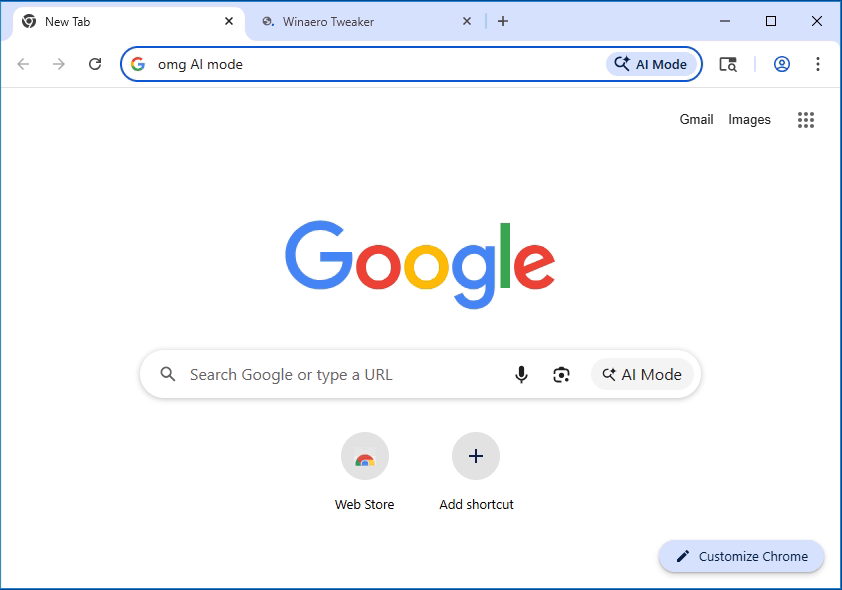
Chrome 144 extends the availability of AI Mode to Linux builds, following its initial release on macOS and Windows. Users can now activate AI Mode by pressing the Tab key before typing in the address bar. This feature enables natural language queries about page content and supports multi-tab interactions, including summarization, comparison, and cross-tab information retrieval.
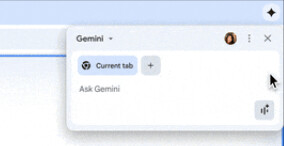
The built-in Gemini chatbot also gains new capabilities, such as image uploads via context menu and image generation based on user-provided visuals.
New Tab Page
A simplified design for the new tab page rolls out to select users, reducing visual clutter and enhancing customization. Instead of dismissing individual content blocks, users may now disable entire categories, such as recipes or news topics.
Deployment
On Windows systems with centralized Chrome management, the browser now automatically reverts unauthorized changes to critical settings, particularly those altered by search engine malware.
Networking and Developer Tools
- Chrome 144 implements Happy Eyeballs v3, which improves connection selection for hosts supporting both IPv4 and IPv6. The algorithm now evaluates SVCB and HTTPS DNS records to prioritize HTTP/3, QUIC, and TLS ECH.
- The Direct Sockets API adds multicast support, enabling Isolated Web Apps to receive UDP multicast packets.
- Developer tools receive updates, including remote debugging server activation without browser restart and enhanced editing of CSS font rules.
Privacy Sandbox and Web Standards
Google announces the deprecation of several Privacy Sandbox APIs, including Topics, Protected Audience, Shared Storage, Attribution Reporting, Private Aggregation, Related Website Sets, and requestStorageAccessFor. These will be removed in Chrome 150.
New web standards include the CSS ::search-text pseudo-element, the caret-shape property, the clipboardchange event, and the HTML <geolocation> element for location permission prompts.
JavaScript Improvements
The JavaScript Temporal object debuts, offering a modern API for date and time manipulation with explicit time zone handling.
Security Improvements
Chrome 144 also patches 10 vulnerabilities, most identified through automated testing tools. Google awarded $18,500 in bug bounties for this release, with no critical sandbox escape issues reported.
Upcoming Ability to Block AI Features
Chrome Canary, which represents the upcoming Chrome 147 version, introduces a new setting under the System section labeled “On-device GenAI Enabled.”
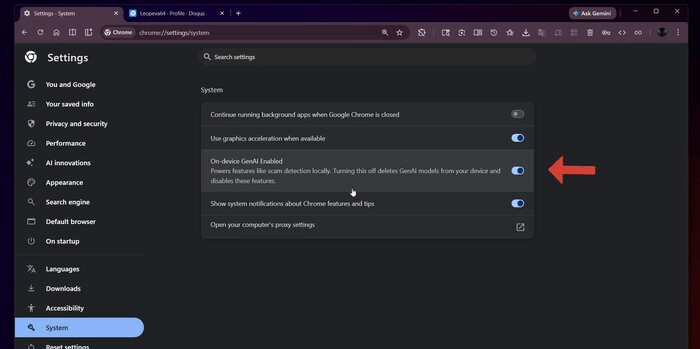
Disabling this option removes all locally running generative AI models and disables related functionalities, such as malicious content detection in enhanced protection mode.
Release Schedule
Chrome 144 is now available. Chrome 145 is scheduled for release on February 10, 2026.
Support us
Winaero greatly relies on your support. You can help the site keep bringing you interesting and useful content and software by using these options:

