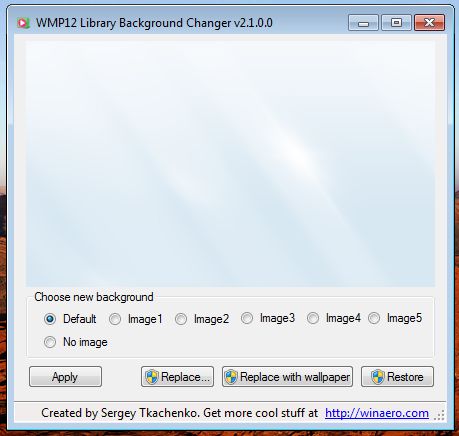
WMP12 Library Background Changer allows you to use six hidden library backgrounds what exist in Windows Media Player 12. Also it allows you to replace any of six WMP12′s default backgrounds with custom image. Special button serves to synchronize Windows Media Player 12 Library Background with you current wallpaper.
Latest version is 2.1, now with full Windows 8 support!. See change log below.

With WMP12 Library Background Changer you will able:


  • to switch between default backgrounds.

  • to replace any of WMP12′s default backgrounds with custom image.

  • to set WMP12 background to current wallpaper.

  • to restore any of six backgrounds to default image.


Change log


2.1(2012)
  • Bug fixed: sometimes WMPLOC.DLL permissions was a bit wrong after image replacement.
  • Support of Windows 8. Please note what in Windows 8 the Widnows Media Player does not allow you to disable its background and has no that six backgrounds anymore.
  • Rebranding. Now WMP12 Library Background Changer is part of Winaero, not Winreview.

2.0 (2011)
  • New "wallpaper" feature
  • Now you able to replace WMP's backgrounds with your own image

1.0 (2009)
Initial release


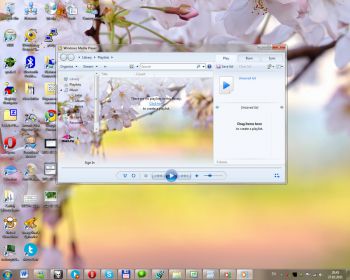
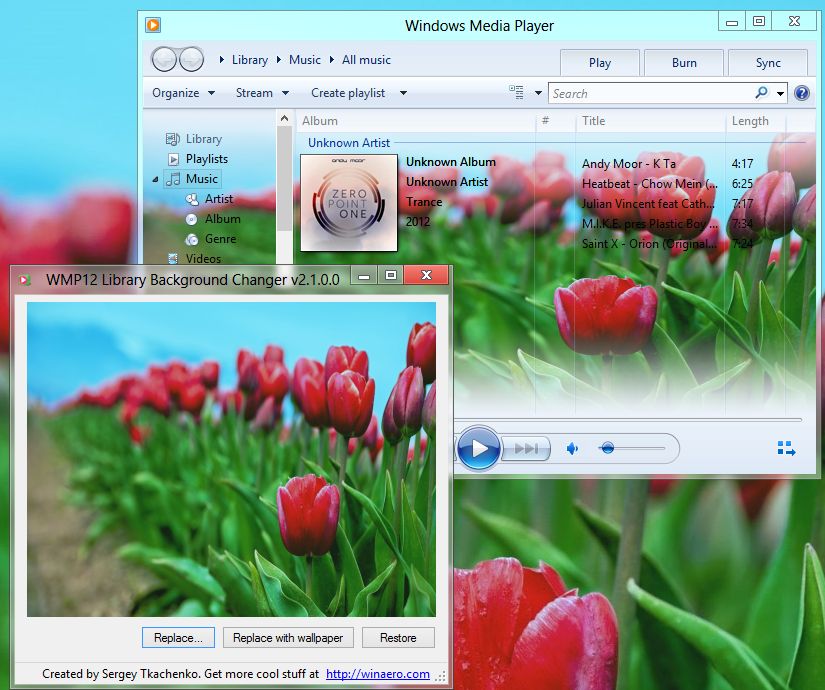
Windows 7/Windows 8 x86 & x64 are supported. You can change your appearance to something like this:

Or like this (Windows 8 example):

Download WMP12 Library Background Changer

Donate options for satisfied users:

Comments
April|28 Jul
Guest


Awe, this one is so cute.

Thanks again for the programme :D

Sergey |29 Jul
Comments: 368


heh, you are welcome. I glad to know what you like it.

Anonymous|01 Sep
Guest


Is it work for windows 7 starter?

BorlandGuy|02 Sep
Guest


Yes, it works

Nyange|11 Sep
Guest


Superb, works great on W7 Alienware

LuisVirgil|10 Nov
Guest


I thought you can see the new background when the player is small... :(

petrucci1961|21 Nov
Guest


is this work for WMP11 ???

Sergey |22 Nov
Comments: 368


How do you think if it called WMP12 Library background changer?

Arameshi|16 Aug
Guest


It can't change with my images or wallpaper.. Why? T_T

Sergey |16 Aug
Comments: 368


I have no idea. Please provide more info about your OS and localization.

amirhosi|22 Dec
Guest


Hey Sergey, first of all thanks 4 the great app!
but in my Windows 7 it works once to change background replacing with wallpaper, once to replace with my own images.. and the others works! (6 Original backgrounds) i cant replace or replace with wallpaper it again!..why? and how can i repair it? or where is the exact file location(Backgrounds for Library) in Windows Program Files?

Sergey |23 Dec
Comments: 368


C:\windows\system32\wmploc.dll - this file contains all the backgrounds.
Can you tell me, do you switch Windows Media Player from x86 to x64 version?

amirhosi|26 Dec
Guest


thanks 4 da reply,
No i did not.. then i have to remove this .dll file?
Cuz the first .jpg image that i replaced keep staying there!

beibee_gee|09 Jan
Guest


yeeeey!!! this one worked too! thank you!!! ^_^

Guest|19 Feb
Guest


Thank You Sergey, NICE

Anonymous|07 Mar
Guest


tnx

Adam|28 Mar
Guest


Awesome Job , can you make one the randomly changes pictures from a set folder and can you make one that changes the "now playing" BG and make that one a random one would be truly god like lol

Anonymous|05 Apr
Guest


nice... cool... i love it....

Edwin|08 Apr
Guest


I'm now writing a book about win7 personalization, I need you permission to review and include the software on the DVD. May I include it Bro?

Sergey |08 Apr
Comments: 368


Sure, you can.
Thanks for attention.

Patrick|01 May
Guest


Somehow i can´t change anything. I could use one wallpaper but when i tried to change it with another i can´t use other wallpapers. I only can switch to the normal windows wallpapers and my wallpaper but i can´t change it. :(

Submit comment
Username:
Comment: